When we first unboxed the Canon imagePROGRAF PRO-4100S, we knew we were dealing with a serious piece of printing machinery built for professionals who demand top-tier performance. Designed specifically for large-format projects, this 44-inch inkjet printer didn’t just impress us with its spacious canvas but also with its remarkable precision and vibrant color accuracy. Over days of printing everything from high-resolution photographic prints too sharp commercial signage, we found the PRO-4100S’s 8-color LUCIA PRO ink system and the cutting-edge PF-10 print head consistently delivered stunning results at impressive speeds. In this review, we’ll share our hands-on experience with its intuitive touchscreen controls, smart media handling, and thoughtful features aimed at maximizing productivity without compromising quality. Let’s dive into what makes the Canon PRO-4100S a compelling choice for creative professionals and print shops alike.
Overview of the Canon imagePROGRAF PRO-4100S and Our Initial Impressions
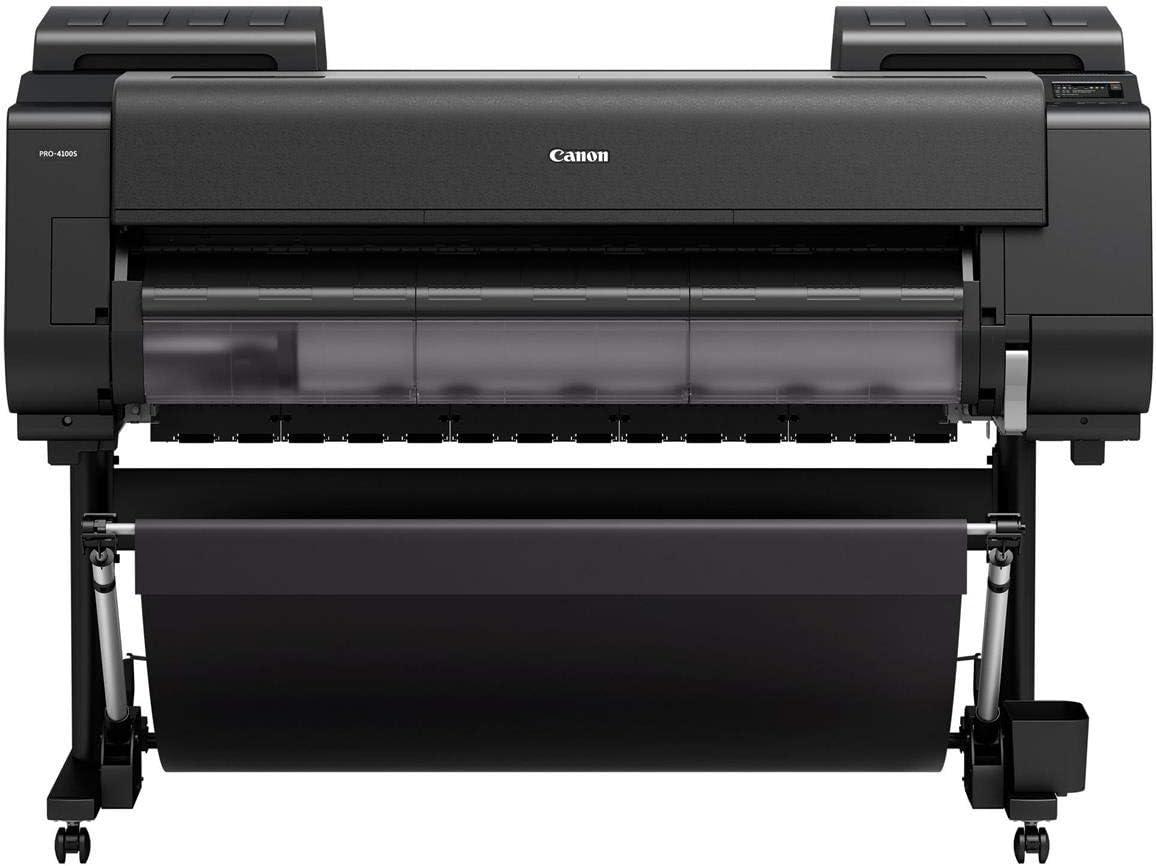
We were instantly impressed by the seamless blend of precision and efficiency this large-format inkjet printer brings to the table. Equipped with an advanced print head featuring 18,432 nozzles and Canon’s proprietary anti-clogging FINE technology, it delivers fine lines and sharp detail at an impressive resolution of up to 2400 x 1200 dpi. The inclusion of the 8-Color LUCIA PRO ink system truly elevates color accuracy and image clarity, making it an excellent choice for proofing, commercial photography, and vibrant advertising displays. We appreciated how the built-in color calibration system ensures consistency from the first print to the last, which is crucial for professional projects requiring exact color matching.
On the usability side, the clever media loading feature makes handling large rolls effortless, as the printer automatically feeds and detects media type using a multi-sensor system. The sub-ink tank system is a smart addition that minimizes ink waste and allows for uninterrupted printing during tank replacements. Operating the printer is intuitive thanks to a bright 4.3″ color LCD touchscreen paired with dedicated buttons for swift access to essential tasks like loading, feeding, and cutting. The built-in USB port and 500GB hard drive also streamline workflows by enabling direct print jobs without a PC. Below we summed up some key specs for a quick snapshot:
| Feature | Specification |
|---|---|
| Print Resolution | 2400 x 1200 dpi |
| Ink Colors | 8-Color LUCIA PRO system |
| Print Head Width | 1.28″ |
| Print Head Nozzles | 18,432 with FINE Technology |
| Media Handling | Intelligent Auto Loading & Multi-Sensor |
| Control Panel | 4.3″ Color LCD Touchscreen + Quick Buttons |
| Storage | 500GB built-in Hard Drive |
Everything about this printer feels engineered for professional environments where speed, accuracy, and ease-of-use are key. If you’re ready to elevate your large-format printing projects, check it out here.
Exploring the Vibrant 8-Color Ink system and Print Quality
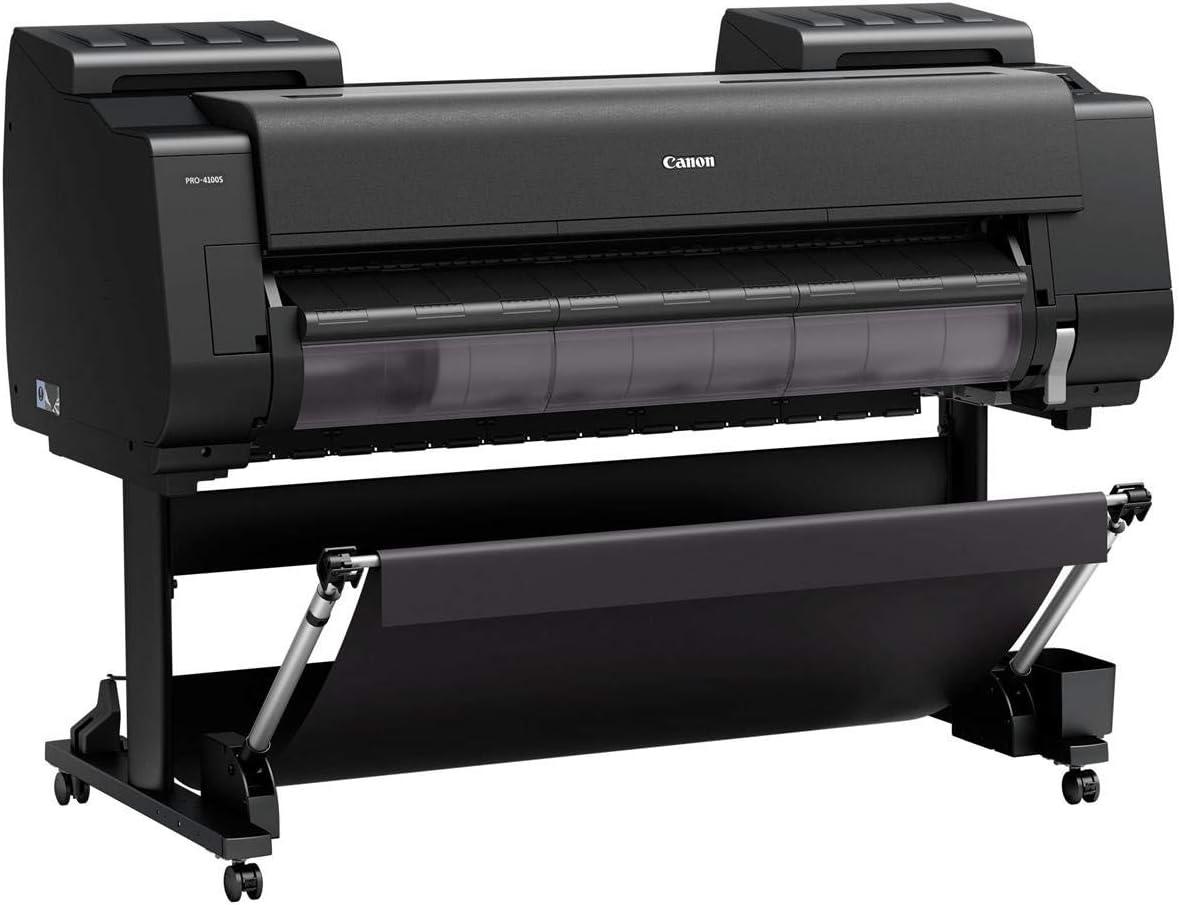
We were immediately impressed by the advanced 8-Color LUCIA PRO ink system, which delivers a stunning range of hues with extraordinary accuracy.This sophisticated palette ensures vibrant reds, deep blacks, and smooth gradations that bring images to life with mesmerizing clarity. The combination of the PF-10 print head’s 18,432 nozzles and anti-clogging FINE technology provides razor-sharp details and fine lines that are essential for large-format prints such as posters or commercial photography. Every print we ran showcased remarkable color fidelity and consistency, thanks in part to the built-in multi-sensor color calibration that ensures the first print matches the last without any noticeable drift.
- Maximum resolution: 2400 x 1200 dpi for crisp images
- Anti-clogging technology: Smooth continuous printing without interruptions
- Multi-sensor calibration: Accurate color reproduction every time
- Wide 1.28″ print head: Efficient ink coverage with fewer passes
| Ink Color | Purpose | Impact on Print |
|---|---|---|
| matte Black | Deep shadows | Enhanced contrast and sharpness |
| Photo Cyan | Cool tones | True-to-life blues and greens |
| Red | Vibrant accents | Rich, dynamic reds |
| Gray | subtle gradients | Smooth tonal transitions |
Our experience with print quality was further enhanced by the printer’s intelligent media handling system. It flawlessly adjusted to various paper types, measuring thickness and surface reflection automatically, which minimized manual guesswork and waste. The sub-ink tank system ensured that all ink in the tanks was used efficiently before replacement, allowing us to maintain workflow without interruption. The combination of precise ink delivery and smart media feeding enabled us to produce vivid, true-to-life prints consistently, making this printer an invaluable tool for any professional setting.
Discover the full potential of this printer today
Design and Build: How It Fits Into Our Workspace
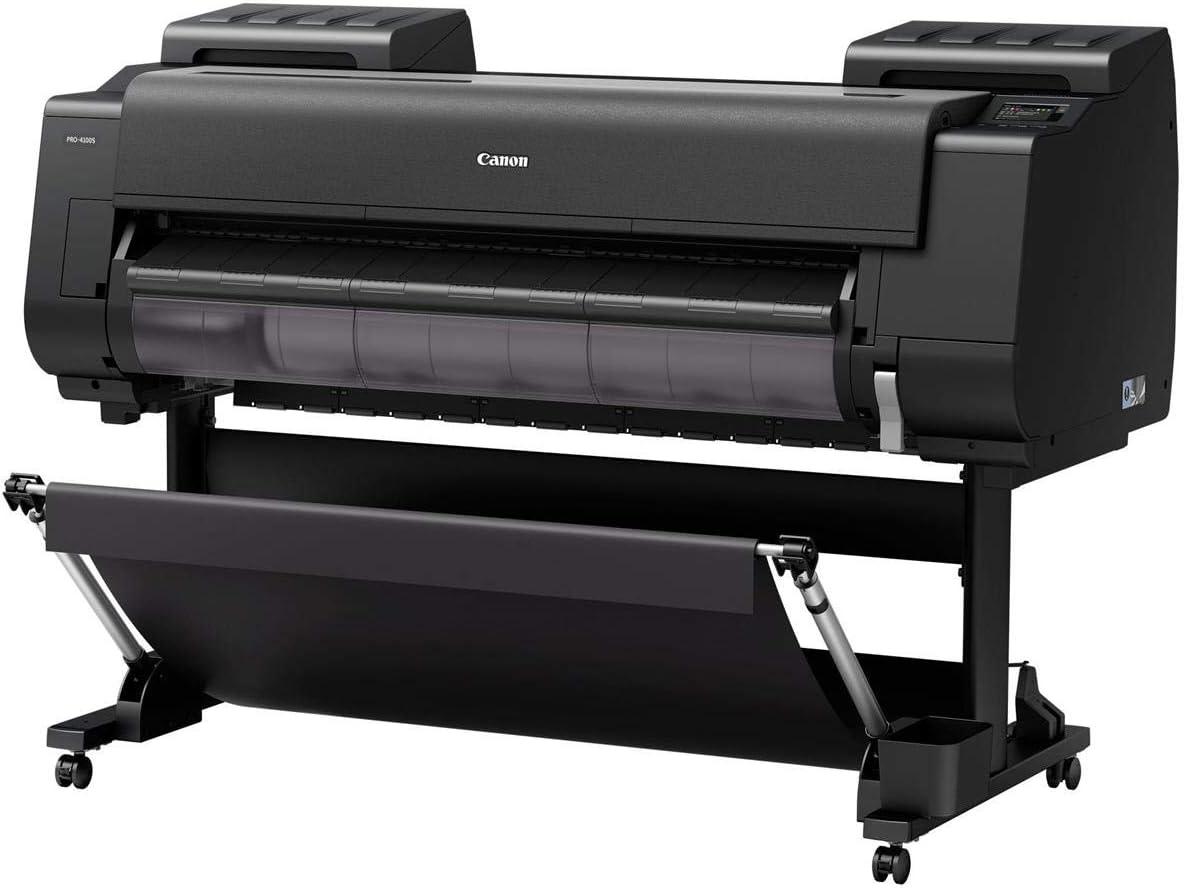
From the moment we set this large format printer into our workspace, its thoughtful engineering was apparent. The sleek, 44-inch wide design fits neatly into a corner without overwhelming the room, balancing size and usability perfectly for our studio environment. Despite handling sizable media rolls, the intelligent media loading system takes the hassle out of setup – simply placing the roll and letting the printer automatically feed and detect thickness and surface reflection feels almost futuristic. Additionally, the built-in multi-sensor ensures every print is spot-on by continuously calibrating colors with remarkable precision, meaning no time wasted on trial-and-error adjustments.
The user interface is another standout feature. The 4.3″ color LCD touchscreen offers controls as intuitive as a smartphone, while the dedicated load, feed, and cut buttons streamline daily use. With a sub-ink tank system, we never pause mid-project to replace ink tanks, which enhances efficiency. The embedded 500GB hard drive coupled with a USB port for direct printing allows us to print complex files without overloading our computers, ideally smoothing our workflow. Here’s a quick glance at how the build addresses our operational needs:
| Feature | Benefit in Our Workspace |
|---|---|
| Intelligent Media Loading | Quick roll setup, less downtime |
| 8-color LUCIA PRO Ink System | Vivid, accurate prints for client presentations |
| 4.3″ Touchscreen + Control buttons | easy access, boosts daily productivity |
| Sub-Ink Tank System | Ink saved, uninterrupted printing |
| 500GB Internal Storage | Better handling of large print jobs |
the combination of robust build quality, smart automation, and user-tailored controls means the printer doesn’t just occupy space in our studio – it enhances how we work, print, and deliver with consistency and speed. Discover it for your workspace
Performance and Speed in Handling Large Format projects
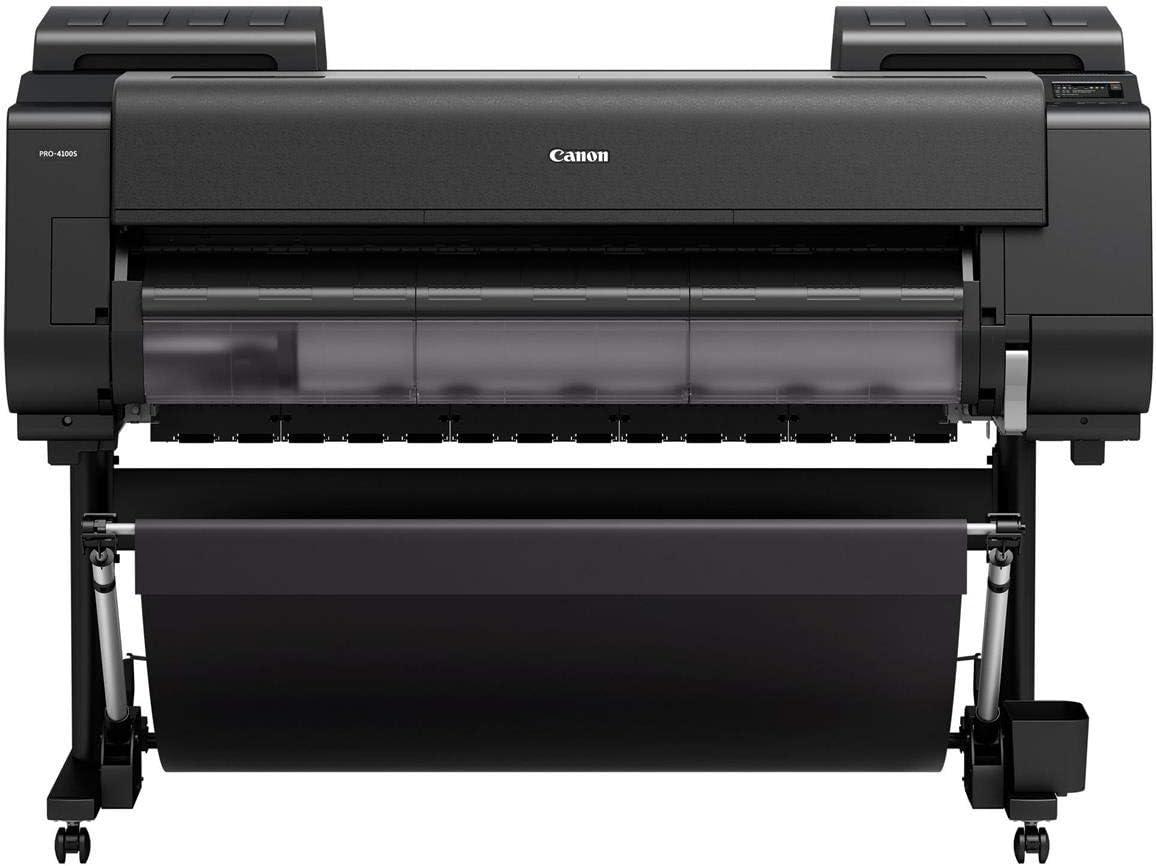
when working on large format projects, speed and precision are paramount. This printer’s advanced PF-10 print head, featuring 18,432 nozzles and anti-clogging FINE technology, delivers crisp output at an impressive resolution of up to 2400 x 1200 dpi. We were notably impressed with how the 1.28″ wide print head managed high-volume print jobs without sacrificing detail or color accuracy. The 8-Color LUCIA PRO ink system ensures vivid, true-to-life colors, making it ideal for creating eye-catching posters and commercial graphics. Thanks to the intelligent media loading and multi-sensor system, setup and feed are seamless, which significantly cuts down our workflow time on large rolls of various media types.
Operational efficiency is further enhanced by features designed to keep productivity flowing smoothly. The built-in 500GB hard drive and USB port allow us to print directly from files with no need for a connected computer, saving valuable time during busy print runs. Combined with a sub-ink tank system that eliminates waste and allows for tank replacements mid-job,downtime was minimal. The intuitive 4.3″ LCD touchscreen and dedicated quick-access buttons streamline control, allowing us to focus more on the creative side and less on troubleshooting. Below is a quick overview of key speed and performance aspects:
| Feature | Benefit |
|---|---|
| PF-10 Print Head (18,432 nozzles) | High precision with fast print speeds |
| 8-color LUCIA PRO Ink System | Enhanced color accuracy and vibrancy |
| Intelligent Media Loading | Quick setup & automatic media detection |
| Sub-Ink Tank System | Ink waste reduction & continuous printing |
| 500GB Built-in HDD & USB Port | Direct file printing without PC dependence |
For anyone handling demanding large format projects that require speed without compromising quality, this printer stands out as a reliable workhorse. Check current pricing and offers here.
User Interface and Connectivity Options We appreciated
The 4.3″ color LCD touchscreen stands out as a highlight in the user interface,delivering a smooth and intuitive experience reminiscent of smartphone navigation. We found it particularly helpful that the three most frequently used commands-load, feed, and cut-have dedicated physical buttons just below the screen. This design choice speeds up workflow by eliminating the need to toggle through menus.Media handling becomes effortless thanks to the intelligent media loading system, which automatically feeds media rolls and detects the type using a multi-sensor for reflection and thickness measurement.
Connectivity options elevate the printer’s versatility. A built-in USB port allows direct printing of PDF and JPEG files without requiring a computer, which is a massive convenience for quick jobs or proofing sessions. Alongside this, the integrated 500GB hard drive boosts productivity by storing frequent files and reducing strain on connected computers. Here’s a quick overview of our favorite features:
- 4.3″ Color LCD Touchscreen: User-amiable, clear visuals, smartphone-like ease.
- Dedicated Command Buttons: Instant access to load, feed, and cut functions.
- Auto Media Loading & Detection: Saves time and reduces media mishandling.
- Built-in USB Port: Direct file printing without a PC.
- 500GB Hard drive: Enhanced storage with quick access to files.
| Feature | Benefit |
|---|---|
| Touchscreen | Streamlined controls and clear status display |
| Media Loading | Automatic feed and type detection |
| USB Port | Print without PC |
| Internal Storage | Speeds up repeated printing jobs |
these interface and connectivity aspects make operating the printer straightforward and efficient, minimizing downtime and maximizing productivity for our large-format printing needs.
Check Latest Price & Availability
Maintenance, Reliability, and Long-Term Use Insights
From our experience, upkeep of this large format printer is remarkably straightforward thanks to its intelligent design features. The anti-clogging FINE technology in the print head significantly reduces the need for frequent maintenance, ensuring smooth operation over extended periods. The built-in multi-sensor system continually calibrates color output automatically, maintaining consistent print quality without manual intervention.We appreciate the sub-ink tank system too,which efficiently uses every drop of ink and allows tank replacement without stopping the machine – a major plus for minimizing downtime during high-volume print runs.
Reliability over the long term is supported by robust hardware and thoughtful workflow integrations.The auto media loading and thickness detection simplify roll changes and reduce errors, which is a huge benefit in busy studio environments. Combined with a large 500GB hard drive and a touchscreen interface that offers quick access to essential functions, it’s clear this printer is built for both ease of use and sustained performance.Below is a quick reference table summarizing key maintenance and reliability features we found useful:
| Feature | Benefit |
|---|---|
| Anti-Clogging Print Head | Less frequent cleaning, longer print head life |
| Sub-Ink Tank System | Ink waste reduction, hot-swappable tanks |
| Multi-Sensor Calibration | Consistent color accuracy over time |
| Intelligent Media Loading | Faster setup and fewer media errors |
For teams looking to invest in a dependable large format printer that delivers excellent performance with reduced maintenance hassle, this model stands out. Ready to experience smoother workflows and vibrant prints?
Check it out here
Our Recommendations for Who Should Consider This Printer
this printer is an excellent choice for professionals and businesses that demand top-tier color accuracy and sharp detail in large-format prints.If you work in commercial photography, advertising, or proofing where consistency and speed are critical, its 8-color LUCIA PRO ink system combined with the PF-10 print head ensures vibrant visuals every time. Creative agencies producing vivid posters or signage will also appreciate the built-in color calibration and intelligent media handling, which streamline the printing process while maintaining outstanding image clarity and fine lines.
Additionally, organizations looking to optimize workflow with minimal downtime will benefit from features like the sub-ink tank system and quick-access touchscreen controls.The ability to print directly from USB without a connected computer, coupled with a spacious 500GB hard drive, makes it ideal for high-volume environments where efficiency matters. Whether you’re managing a busy print studio or running marketing campaigns, this large-format solution balances precision, speed, and convenience effortlessly.
- Commercial photographers needing consistent color reproduction
- Advertising agencies producing large-scale posters and signage
- Print studios requiring efficient media handling and minimal ink waste
- Businesses seeking a reliable device with fast, high-resolution output
| Feature | Benefit |
|---|---|
| 8-color LUCIA PRO Ink | Exceptional color precision and gradation |
| PF-10 Print Head | High resolution up to 2400 x 1200 dpi |
| Sub-ink tank System | Zero ink waste, continuous operation |
| Built-in USB & 500GB HDD | Faster, computer-free printing |
Check the Latest Price & Reviews
Pros & Cons of the Canon imagePROGRAF PRO-4100S
After spending considerable time working with the Canon PRO-4100S, we’ve gathered a well-rounded view of its strengths and areas where it may fall short depending on your specific needs. Here’s what stood out to us:
| Pros | Cons |
|---|---|
| Vibrant & Consistent color Quality Thanks to the 8-Color LUCIA PRO ink system and built-in color calibration, our prints remain true-to-life from the first to the last sheet. |
High initial Investment The advanced technology and large-format capacity come at a price that may be steep for smaller studios or hobbyists. |
| Robust Media Handling We love the intelligent media loading and multi-sensor system for hassle-free setup and accurate media detection. |
Size & Space Requirements its significant footprint demands a dedicated, spacious workspace which might not fit comfortably in smaller offices. |
| Fast & Efficient Printing With the PF-10 print head and 18,432 nozzles, the print speeds help us meet tight deadlines without sacrificing detail. |
Complex Maintenance While the sub-ink tank system reduces waste, replacing ink tanks and occasional head cleaning requires some technical care. |
| User-Friendly Interface The 4.3″ touchscreen and dedicated control buttons make navigating printer functions intuitive, even for those new to large format devices. |
Limited Connectivity Options Direct USB printing is handy, but some users may find the lack of wireless or cloud printing options restricting. |
| Integrated Storage The 500GB hard drive lightens the load on our computers,enhancing workflow efficiency especially for large print jobs. |
none significant to report in this category |
In the world of large-format printing, consistency, color accuracy, and reliability are non-negotiable-and that’s exactly where the Canon imagePROGRAF PRO-4100S shines brightest. From its advanced 8-color LUCIA PRO ink system to its intelligent media handling and built-in calibration technology, this printer delivers professional-quality results that keep pace with our demanding workflows. Whether we’re producing vibrant posters, proofing with precision, or tackling commercial photography projects, the PRO-4100S stands as a trusted workhorse that doesn’t compromise on speed or detail.
If you’re ready to elevate your large-format printing game with a device designed to perform at the highest level, explore what the Canon PRO-4100S can do for your creative vision.Check out the Canon imagePROGRAF PRO-4100S on Amazon today and take the next step toward flawless, stunning prints.
As an Amazon Associate I earn from qualifying purchases. Amazon and the Amazon logo are trademarks of Amazon.com, Inc, or its affiliates. All images belong to Amazon