When it comes to finding a reliable, efficient printer for home or small office use, we know how significant it is to strike the right balance between speed, functionality, and ease of use. Recently, we had the chance to put the Brother monochrome Laser printer MFCL2720DW through its paces, and we’re excited to share our firsthand experience. This compact all-in-one device promises impressive features like wireless networking, automatic duplex printing, and even Amazon Dash Replenishment to keep your toner stocked without hassle. Over the past few weeks, we tested its printing and copying speeds, explored the touchscreen interface, and evaluated its scanning and fax capabilities to see if it lives up to the hype-and whether it might just be the multifunction printer solution you’ve been looking for.
Brother Monochrome Laser Printer At a Glance
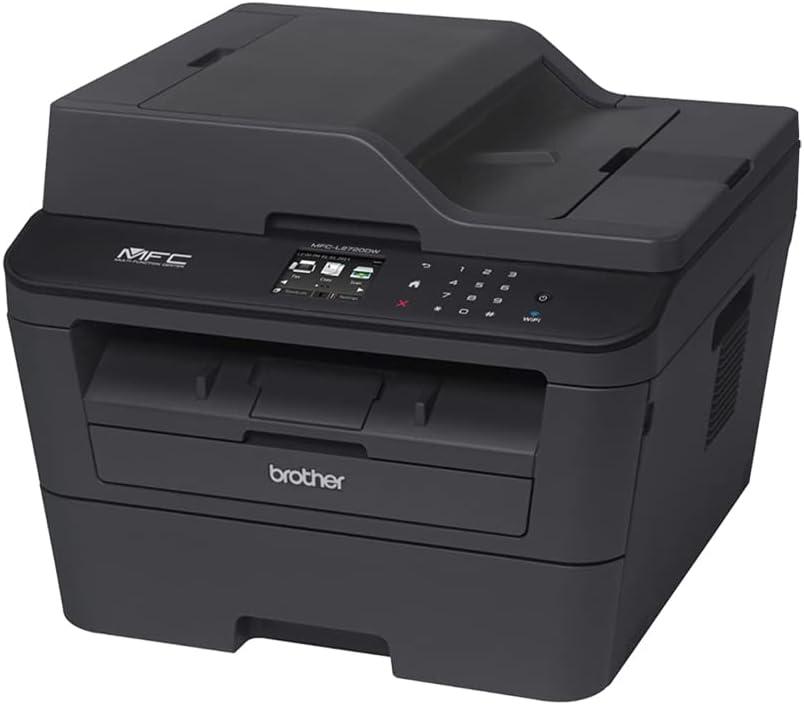
This compact all-in-one device offers a seamless blend of speed and functionality, perfect for both home offices and small businesses. Printing and copying occur at an impressive 30 pages per minute, coupled with a vibrant 2.7″ color touchscreen that makes navigation easy and intuitive. Whether you prefer wireless, wired network connections, or a local USB setup, this model supports them all, enhancing versatility for varied work environments.
Complete with a 35-page auto document feeder and an adjustable 250-sheet paper tray that accommodates letter or legal sizes, it adapts smoothly to high-volume tasks. Automatic duplex printing saves paper and time while maintaining professional quality. Additionally, the amazon Dash Replenishment readiness ensures toner is reordered automatically, preventing unexpected shortages and keeping us productive without interruption.
| Feature | Details |
|---|---|
| Print Speed | Up to 30 ppm |
| Display | 2.7″ color Touchscreen |
| Paper Capacity | 250 sheets (adjustable) |
| Auto Document Feeder | 35 pages |
| Connectivity Options | Wireless, Wired, USB |
| Recommended Monthly Volume | 250-2,000 pages |
| Noise Level | 30 dB (Ready), 50 dB (Copying) |
| Toner Replenishment | Amazon Dash Ready |
Exploring the Design and Build Quality
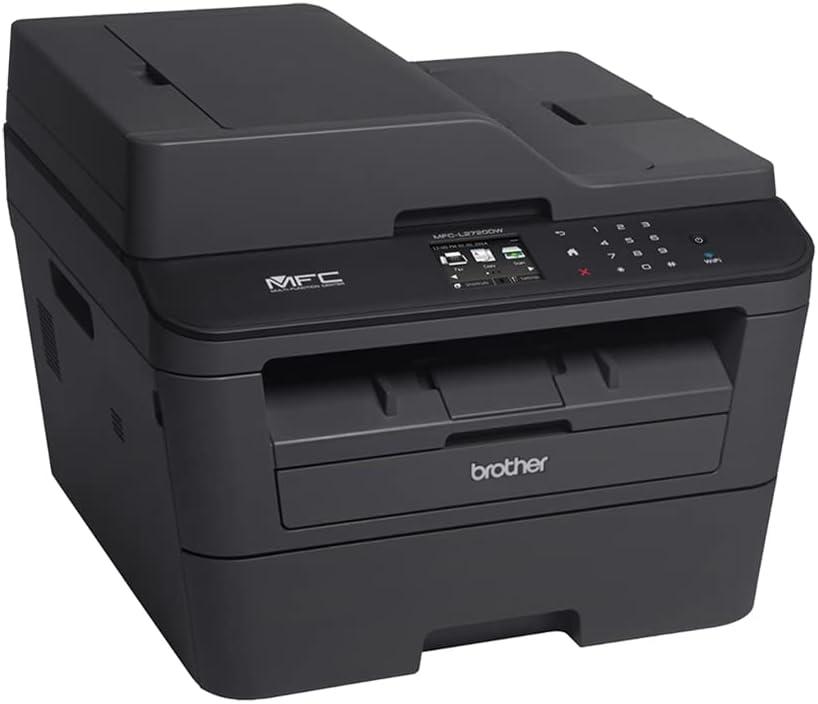
The design showcases a sleek, compact build that balances modern aesthetics with practical functionality. Its black finish and minimalist form factor make it an unobtrusive addition to any workspace, large or small. The 2.7″ color touchscreen display provides an intuitive interface, making navigation through functions like copying, scanning, and faxing seamless. We appreciate the inclusion of both wireless and wired networking options, which add versatility, while the 35-page auto document feeder streamlines multi-page tasks efficiently. The paper tray supports adjustable letter and legal sizes with a 250-sheet capacity, which is more than enough for everyday office needs.
Build quality is robust, with a focus on durability to handle a recommended monthly print volume between 250 to 2,000 pages without faltering. Noise levels are kept impressively low, measuring just 30 dB in ready mode and 50 dB when copying, helping maintain a quiet office environment. The automatic duplex printing feature reduces paper waste and enhances productivity, which is a thoughtful touch for eco-conscious users. Below, we summarize some key design features in a simple comparison table:
| Feature | details |
|---|---|
| Touchscreen | 2.7″ Color display |
| Connectivity | Wireless, Wired, USB |
| Paper Capacity | 250 Sheets (Adjustable for Letter/Legal) |
| Auto document Feeder | 35 Pages |
| Print Speed | Up to 30 ppm |
| Noise Level | 30 dB (Ready) / 50 dB (Copying) |
Diving Into Printing Performance and Speed
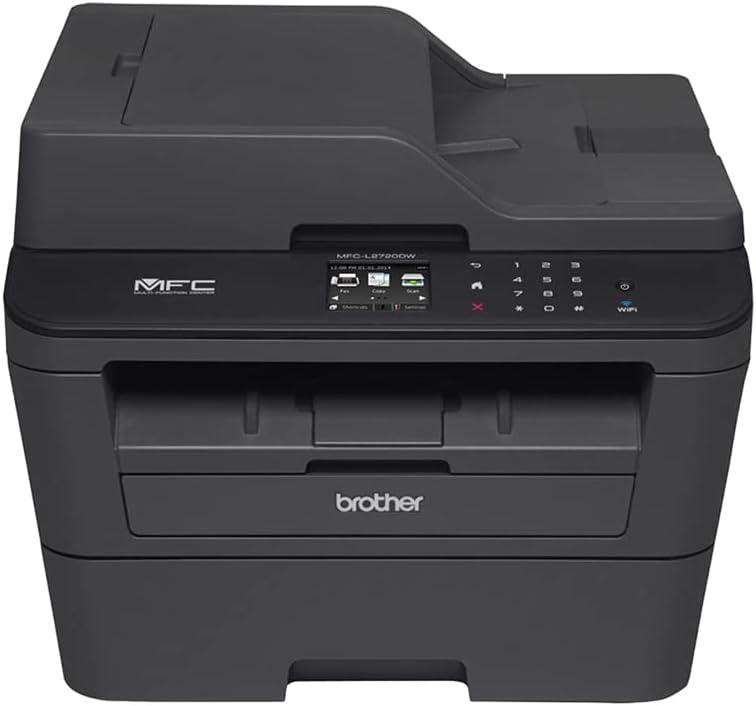
When it comes to printing speed, this all-in-one impresses with its ability to churn out up to 30 pages per minute, whether you’re printing or copying. The swift turnaround is perfect for small office environments or home use where time is of the essence. Our experience showed consistently smooth performance, even during longer print jobs, supported by a 250-sheet adjustable paper tray and a 35-page automatic document feeder that streamlines multitasking. Whether we connected via wireless, wired networking, or USB, the device delivered reliable speed without lag, keeping productivity flowing seamlessly.
Beyond speed, the print quality and functionality stand out. The automatic duplex printing frees us from manually flipping pages, saving both time and paper-an eco-pleasant bonus. Noise levels are surprisingly low too, with just 30 dB during readiness and 50 dB when copying, meaning the printer doesn’t disrupt our work environment. The built-in 2.7″ color touchscreen offers intuitive control, making navigation of print tasks and settings effortless. Here’s a snapshot of the key printing performance specs we found moast useful:
| Feature | Specification |
|---|---|
| Print/Copy speed | Up to 30 ppm |
| Paper Tray Capacity | 250 sheets (adjustable) |
| Auto Document Feeder | 35 pages |
| Duplex Printing | Automatic |
| Noise Level | Ready: 30 dB / Copying: 50 dB |
- Wireless and Wired Connectivity: Flexible options to suit diffrent setups
- Fast duplex printing: Saves time and paper without sacrificing quality
- Consistent Output: Sharp monochrome text with every print
We invite you to experience the blend of speed and efficiency firsthand. Check Pricing and Availability
Our experience with Wireless Networking and Connectivity
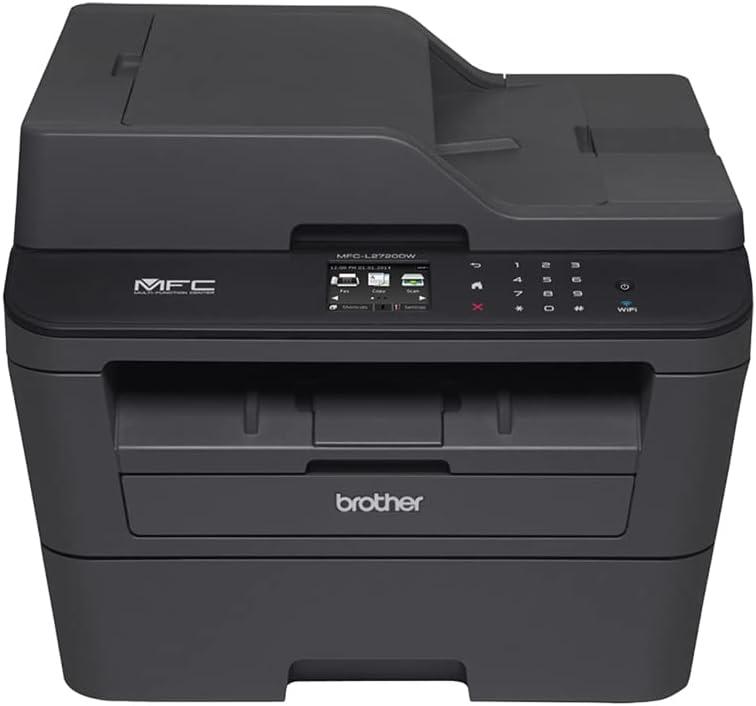
Setting up the device on our wireless network was remarkably straightforward. The 2.7″ color touchscreen display guided us through each step with clear prompts, making the wireless configuration hassle-free. once connected,printing from various mobile devices over the Wi-Fi network felt seamless with no noticeable delays,even when printing multiple pages rapidly. We also appreciated the option to connect via USB or wired Ethernet should we need a more stable connection. this flexibility meant the printer fit comfortably into different office setups without any compatibility issues.
One standout feature was the Amazon Dash Replenishment integration. After activating it, our toner levels were monitored automatically, and the service placed orders on our behalf when supplies ran low-saving us from last-minute toner shortages.The automatic duplex printing via wireless connection further helped streamline our workflows, reducing paper waste without sacrificing speed. Below is a quick summary of our key observations regarding its connectivity capabilities:
| Feature | Our Experience |
|---|---|
| Wireless Setup | Fast and intuitive through touchscreen |
| Mobile Printing | Consistently reliable across devices |
| Connection Options | Wireless, wired Ethernet, USB available |
| Auto Toner replenishment | Convenient and worry-free restocking |
| Duplex Printing | Smooth automatic double-sided printing |
Check the Latest Price & Deals
Understanding Duplex Printing and Its Benefits
Duplex printing, or automatic double-sided printing, is a standout feature that saves both time and resources. This printer’s capability to print on both sides of the paper without manual intervention considerably reduces paper usage, cutting down our environmental footprint and lowering office supply costs.it’s especially useful for large volume jobs where efficiency matters, providing crisp, monochrome documents at speeds up to 30 pages per minute. The convenience of duplex printing is enhanced by seamless wireless or USB connectivity, allowing us to send print jobs from various devices without complication.
Besides conserving paper, duplex printing also adds a professional touch to our printed materials, making reports, presentations, and manuals easier to read and handle. This aligns perfectly with the multifunctional design, combining fast printing, copying, scanning, and faxing in one compact device. Below is a quick overview of the duplex printing benefits in relation to other key features:
| Feature | Benefit |
|---|---|
| Automatic Duplex Printing | Reduces paper use by up to 50%, saves costs |
| Print Speed (30 ppm) | Keeps workflows moving efficiently |
| Wireless & Wired Connectivity | Flexible printing from multiple devices |
| Auto Document Feeder (35 pages) | Enables hands-free duplex scanning and copying |
By integrating duplex printing with other smart features, this multifunction printer gives us a balance of productivity and eco-consciousness, making it a core asset for any busy office or home workspace.
Evaluating the Amazon Dash Replenishment feature
One of the standout functionalities in this all-in-one printer is the seamless integration with Amazon dash Replenishment. This feature automatically monitors toner levels and places orders when supplies run low, effectively eliminating the risk of unexpectedly running out of toner. For busy offices or home users who rely on consistent printing, this smart replenishment system offers peace of mind and convenience.It integrates smoothly with your Amazon account, making toner restocking effortless and timely. We appreciate how this automation reduces downtime and keeps workflows uninterrupted.
Besides convenience,the Dash Replenishment feature fits perfectly within a printer designed for efficiency and productivity. Wireless and wired networking options meen the device is flexible in various environments, and combined with fast print speeds of up to 30 ppm, it suits moderate to heavy usage. Below is a quick comparison of how the automated toner ordering stacks up against manual monitoring:
| Feature | Amazon Dash Replenishment | Manual Toner Monitoring |
|---|---|---|
| Convenience | Automatic orders with no user intervention | Requires regular checks and timely orders |
| Risk of Running Out | Minimal,proactive restocking | High,if toner runs out unnoticed |
| integration | Directly links to Amazon account | Separate process outside printer system |
| Time Savings | Significant,eliminates repeated toner purchases | Dependent on user diligence |
Ultimately,this feature aligns with the printer’s overall design beliefs: combining robust functionality with user-friendly smart technology to streamline daily tasks. If uninterrupted printing is a priority for your workspace, the Amazon Dash Replenishment-ready model stands out as an intelligent choice.
Final Thoughts and Who This Printer Is Best For
this monochrome laser multifunction device strikes an excellent balance between speed, quality, and convenience, making it a strong contender for small offices and home workspaces. The automatic duplex printing paired with wireless and wired networking options provides versatility for various setups. Its 2.7″ color touchscreen enhances usability, while the 35-page auto document feeder supports efficient multi-page scanning or faxing. The Amazon Dash Replenishment feature is a game-changer, eliminating the hassle of toner monitoring and auto-ordering supplies to keep the workflow uninterrupted.
We believe this model is ideal for users who:
- Print moderate to high volumes consistently (250-2,000 pages per month)
- Require dependable black-and-white printing with sharp text clarity
- Value wireless convenience alongside USB or Ethernet connectivity
- Want automated toner replacement to avoid downtime
- need a compact design without sacrificing key multifunction features
| Feature | Benefit |
|---|---|
| print/Copy Speed | Up to 30 ppm for efficiency |
| Auto Duplex | Save paper with two-sided printing |
| Touchscreen | Easy navigation and control |
| ADF Capacity | 35 pages for unattended scanning/faxing |
| Monthly Volume | 250-2,000 pages, fits small to medium use |
Pros & Cons of the Brother MFCL2720DW
when we first got our hands on the Brother MFCL2720DW, it quickly became apparent that this compact, monochrome laser multifunction printer is designed for everyday reliability. Like any product, it shines in some areas and shows a few limitations in others – here’s how it stacks up from our experience.
| pros | Cons |
|---|---|
| Fast Printing & Copying: Up to 30 pages per minute keeps the workflow humming without delays. | Monochrome Only: No color printing, which limits creative projects or color-coded documents. |
| Automatic Duplex Printing: Saves time and paper by printing on both sides without manual intervention. | Small Touchscreen: The 2.7″ display is colorful but somewhat limited in size for extensive menu navigation. |
| Flexible Connectivity: Wireless, wired Ethernet, USB, and mobile device ready – printing from anywhere is straightforward. | Limited Paper Capacity: The 250-sheet tray is fine for moderate use, but heavy users may find it requires frequent refills. |
| Amazon Dash Replenishment: Automatic toner ordering means we never run dry unexpectedly – a huge peace of mind booster. | Monochrome Scanner & Fax: While fast, the lack of color scanning might matter for some. |
| Compact & Quiet: Fits nicely on our desk without creating a noisy distraction. | Recommended Monthly Volume: Best suited for 250-2000 pages per month; might not meet needs of large office environments. |
the Brother MFCL2720DW impresses us with its speed, reliability, and thoughtful features like automatic duplexing and toner auto-replenishment. It fits perfectly into small to medium workloads where black-and-white documents dominate. While it isn’t the go-to for color or heavy-duty printing needs, for our everyday tasks, it strikes an excellent balance of convenience and performance.
the Brother MFCL2720DW stands out as a dependable and efficient companion for our everyday printing needs. Its seamless wireless connectivity, speedy duplex printing, and smart features like Amazon dash Replenishment give us confidence that we’ll stay productive without interruption. whether for home or small office use,its compact design and intuitive touchscreen make operation straightforward and hassle-free. For those seeking a reliable monochrome all-in-one printer that balances performance with convenience, this model truly earns its place on our desk.
ready to experience the Brother MFCL2720DW for yourself? Check it out here and make printing effortless: Brother Monochrome Laser Printer on Amazon
As an Amazon Associate I earn from qualifying purchases. Amazon and the Amazon logo are trademarks of Amazon.com, Inc, or its affiliates. All images belong to Amazon