When it comes to finding a reliable all-in-one printer that can keep up with the demands of a busy office, the Brother MFC-L8610CDW quickly caught our attention.Designed to handle printing,scanning,copying,and faxing with ease,this business color laser printer promises fast speeds,versatile connectivity,and smart features tailored to boost productivity. Over the past few weeks, we’ve put the Brother MFCL8610CDW through its paces-from speedy duplex printing to wireless mobile integration-and in this review, we’ll share our firsthand experience with its performance, usability, and whether it lives up to the needs of a modern workplace.
Overview of the Brother MFCL8610CDW and Our Initial Impressions
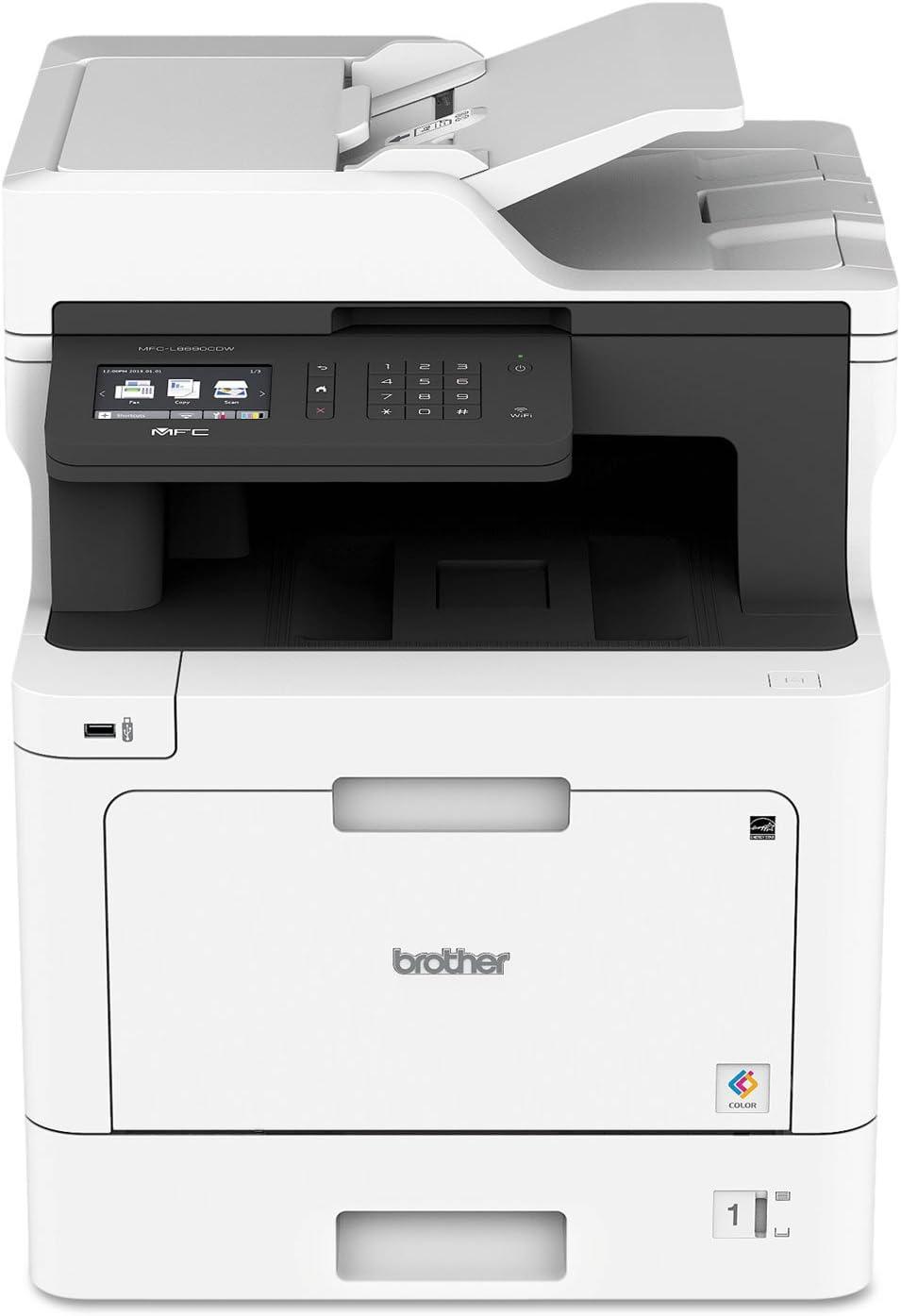
Right out of the box, this all-in-one laser printer impresses with a sleek white finish and a compact footprint of 17.1″ W x 20.7″ D x 21.2″ H, making it an excellent fit for most office environments. Designed for small workgroups, it promises both speed and versatility, with print and copy speeds reaching up to 33 pages per minute, ensuring deadlines are never compromised. The automatic duplex printing and a 50-page document feeder simplify multi-page tasks, while wireless and Gigabit Ethernet connectivity options allow seamless integration into busy office networks.In our initial testing, the buzzing 3.7″ touchscreen interface was intuitive, providing swift access to a variety of cloud-based scanning destinations like Google Drive, Dropbox, and SharePoint, which stands out for boosting workflow efficiency.
Another highlight is the smart Dash Replenishment feature that dynamically tracks toner levels and can reorder supplies before they run out-perfect for maintaining continuous productivity without worrying about downtime. Security is well thought out, with customizable user restrictions that help control color printing and protect sensitive documents. The printer’s paper handling capacity is also noteworthy, combining a 250-sheet tray with a 50-sheet multipurpose slot and supporting an optional upgrade to over 1,000 sheets, suiting a range of office demands. Below is a quick snapshot of key specs we found notable in these first impressions:
| Feature | Specification |
|---|---|
| Print Speed | Up to 33 ppm (pages per minute) |
| Scan Speed | Up to 29 ipm (images per minute) |
| Document Feeder Capacity | 50 pages |
| Paper Tray Capacity | 250 sheets (expandable to 1,050) |
| Connectivity | Wireless, Gigabit Ethernet, NFC |
| Display | 3.7″ adjustable touchscreen |
Check Latest price & Reviews
Exploring the Print Quality and Speed for Business Needs
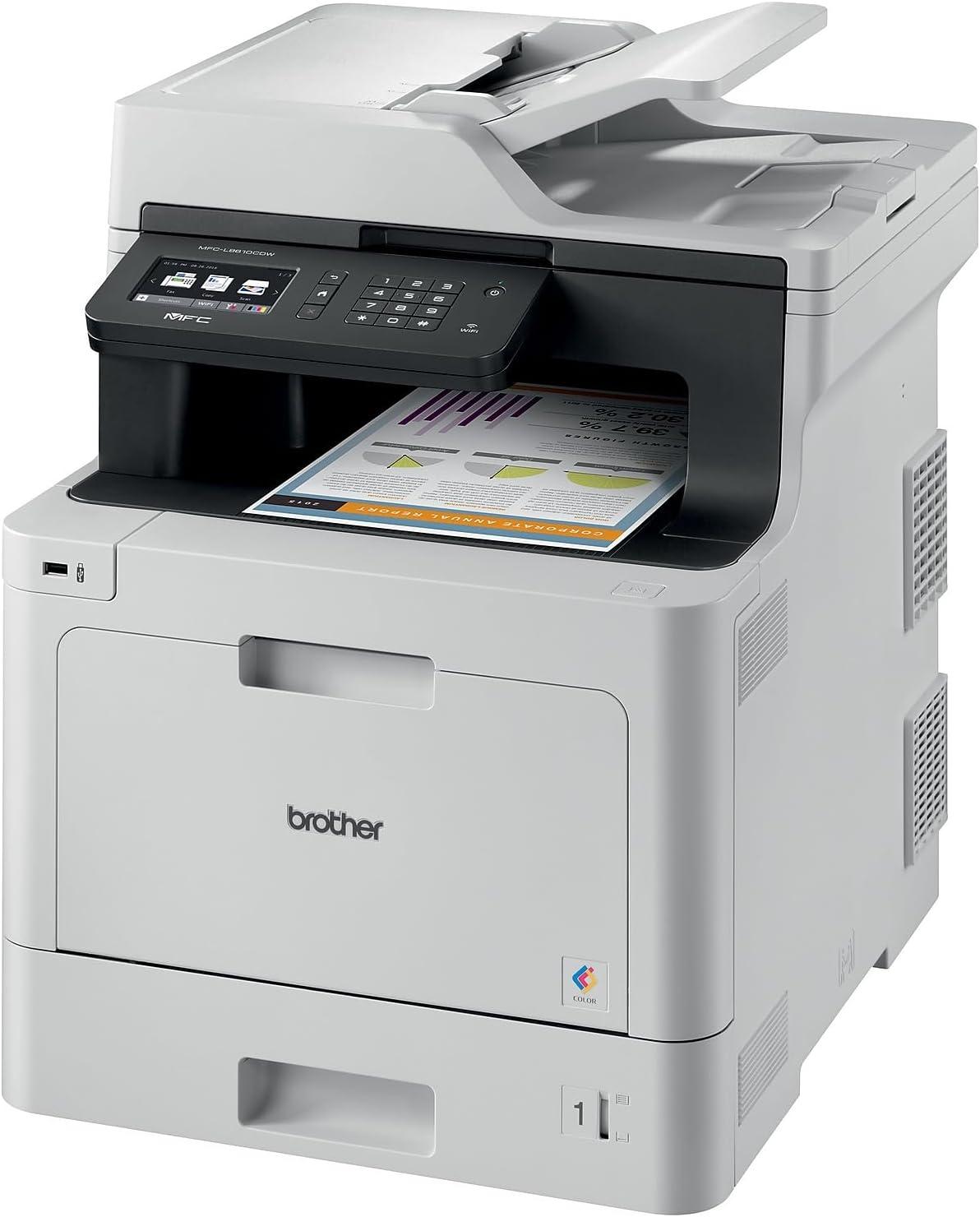
When it comes to meeting the demands of a busy office environment, this all-in-one impresses with its print speeds of up to 33 pages per minute. Whether we’re handling urgent reports or multi-page color presentations, the fast output minimizes wait times without sacrificing detail. The business-quality color laser technology produces sharp text and vibrant graphics, making documents stand out while maintaining professional clarity. Duplex printing is a major time-saver for double-sided documents, and the adjustable paper trays support varied media sizes, keeping workflows smooth and uninterrupted.
Scanning capabilities also deserve high marks, with a 50-page automatic document feeder that efficiently processes batch scans at speeds up to 29 images per minute. We appreciate the variety of scan destinations supported-email, USB, SharePoint, and cloud services like Google Drive and Dropbox-which integrate seamlessly with existing office infrastructure.This versatility combined with reliable wireless networking makes it easier than ever for our teams to share resources and collaborate remotely without bottlenecks.
| Feature | Specification | Business Benefit |
|---|---|---|
| Print Speed | Up to 33 ppm | Reduces printing time, boosts productivity |
| Scan Speed | Up to 29 ipm | Quick digitization of documents |
| Paper Capacity | 250-sheet tray + 50-sheet multipurpose | Less frequent reloads, supports larger jobs |
| Connectivity | Wireless & Gigabit Ethernet | Flexible access & network sharing |
- Duplex printing for efficient double-sided documents
- Vivid color output ideal for marketing materials
- Multiple scan destinations streamlining document workflows
- Wireless printing from mobile devices for added convenience
Check Current Price & Availability
Diving into the Duplex Printing and Wireless Networking Features
The duplex printing capability truly stands out for its efficiency and environmental benefits. We found that the automatic double-sided printing eliminates the hassle of manually flipping pages, saving time and considerably reducing paper consumption. This feature delivers crisp, professional-quality prints on both sides without compromising speed – outputting up to 33 pages per minute. Whether creating client reports or internal documents, duplexing adds a polished and eco-friendly touch to our daily workloads.
On the wireless networking front, the built-in Wi-Fi and Gigabit Ethernet connectivity provide seamless integration across our office network. Wireless printing from laptops, smartphones, and tablets is effortless, allowing us to print remotely without interruptions or cable clutter. the intuitive 3.7″ touchscreen interface simplifies accessing cloud services like Google Drive and Dropbox, streamlining document management.Plus, with robust security measures restricting color printing and smart Dash Replenishment automatically ordering toner, reliability and convenience are always assured.
| feature | benefit |
|---|---|
| Automatic Duplex Printing | Time saver & reduces paper usage |
| Wireless & Ethernet Connectivity | Flexible & easy network access |
| 3.7″ Touchscreen Display | Easy navigation & cloud integration |
| Dash Replenishment | Auto toner ordering, no downtime |
Evaluating the User Interface and Ease of Setup
From the moment we unpacked this all-in-one, the setup process impressed us with its straightforward approach. the inclusion of a Quick Setup Guide paired with intuitive on-screen instructions made connecting the device to our wireless network hassle-free. Thanks to built-in Wi-Fi and Gigabit Ethernet, sharing the printer across multiple devices was seamless, cutting down on the usual time-consuming network configurations. the 3.7″ adjustable touchscreen stands out as a clear and responsive control panel, offering easy navigation through menus and direct access to print, scan, and fax functions without needing to rely on a computer.Scanning to applications like Google drive, Dropbox, and SharePoint is just a few taps away, streamlining common office workflows effortlessly.
- Quick wireless & Ethernet setup
- Responsive, adjustable touchscreen
- Direct cloud scanning options
- Auto toner monitoring via Dash Replenishment
We also appreciated how user-friendly the paper handling features are.The adjustable 250-sheet main tray and 50-sheet multipurpose tray accommodate various media types without frequent refilling interruptions. The 50-page automatic document feeder simplifies scanning and faxing multi-page documents quickly, boosting productivity. Below is a quick comparison of key interface and setup features that helped us integrate the device smoothly into our office environment:
| Feature | Our Experience | Benefit |
|---|---|---|
| Wireless Setup | Completed in under 10 minutes | Minimal IT skills required |
| Touchscreen Interface | Clear and easy to read | Speeds up daily tasks |
| Document Feeder | 50-sheet capacity | Efficient for batch scanning/faxing |
| Dash Replenishment | Automatic toner ordering | Reduces downtime due to toner shortage |
For anyone looking to streamline office printing with minimal setup fuss and intuitive controls, this model delivers reliably. Ready to experience the easy setup and smart interface yourself?
Assessing Durability and Design for Everyday Office Use
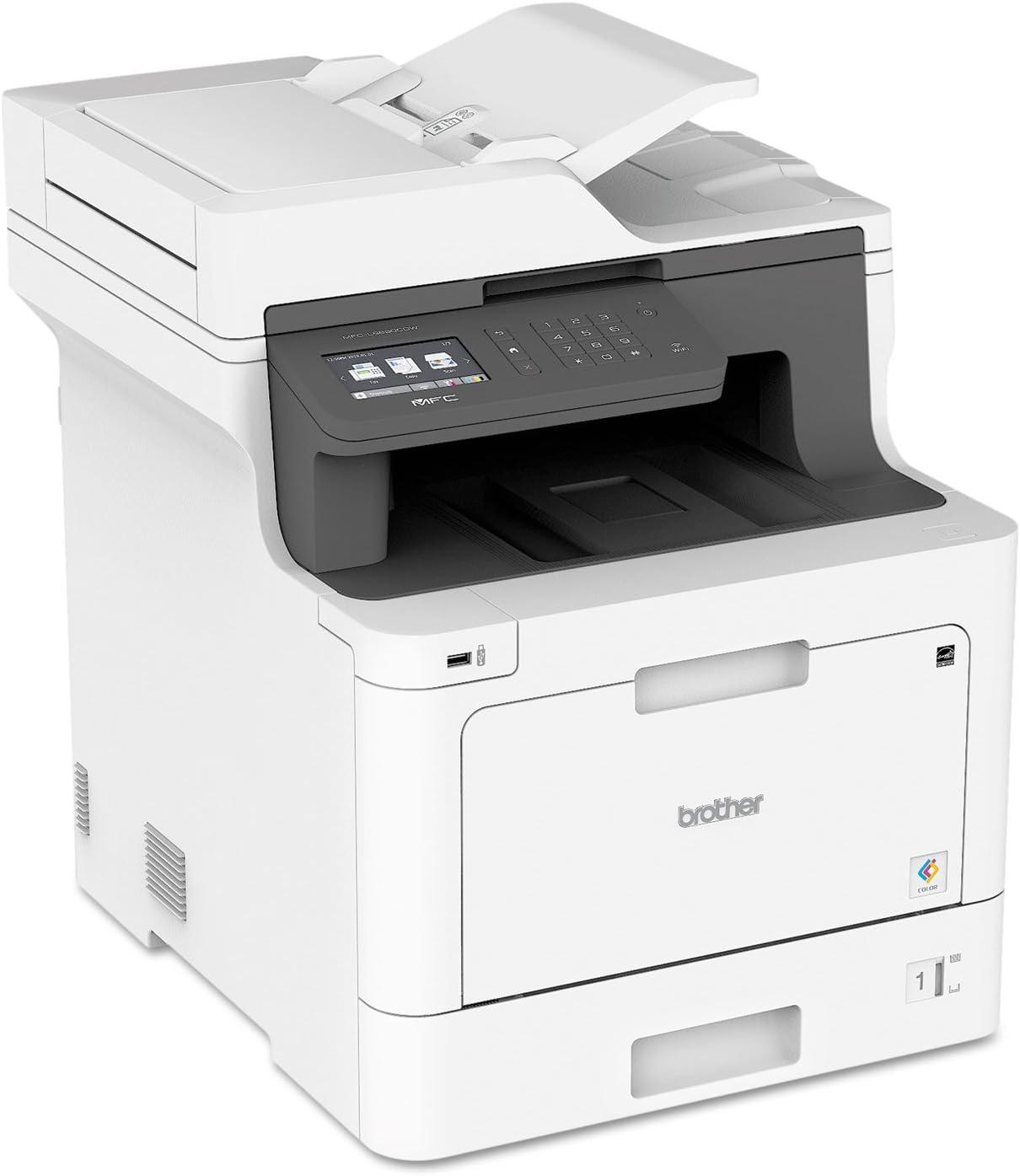
In a bustling office environment, durability and design are paramount. This machine impresses us with its robust build and thoughtfully compact dimensions (17.1″ W x 20.7″ D x 21.2″ H), which fit seamlessly into our workspace without sacrificing performance. The weight of around 61 pounds signals a solid construction that withstands daily handling and frequent usage, making it a reliable centerpiece for both individual desks and small team areas. Its sleek white finish adds a professional yet unobtrusive aesthetic that blends effortlessly with modern office decor.
Functionality is enhanced by an intuitive 3.7″ touchscreen interface that simplifies navigation and helps reduce time spent fiddling with settings. The unit also includes features such as a 250-sheet adjustable paper tray, a 50-page automatic document feeder, and wireless networking that enable smooth, uninterrupted workflows. Below, we highlight key practical features contributing to its durability and design efficiency:
- Compact but sturdy frame engineered for office longevity
- Touchscreen display for quick operation and cloud access
- Automatic document feeder streamlines copying and scanning tasks
- Wireless and Ethernet connectivity for flexible sharing among users
- Dash Replenishment for seamless toner replacement and minimal downtime
| Feature | Specification | Practical Benefit |
|---|---|---|
| Dimensions | 17.1″ W x 20.7″ D x 21.2″ H | fits comfortably on most office desks |
| Weight | 61.1 lbs | Stable, durable build |
| Paper Capacity | 250-sheet adjustable tray + 50-sheet multipurpose tray | Reduces the need for frequent refills |
| Scan Speed | Up to 29 images per minute | Efficient handling of multipage documents |
| Print Speed | up to 33 pages per minute | Fast output suitable for busy offices |
Taken together, these qualities create a balanced blend of durability and design that enhances overall office efficiency every day.
Check Latest Price & Availability
Our Experience with Scanning and Copying Functions
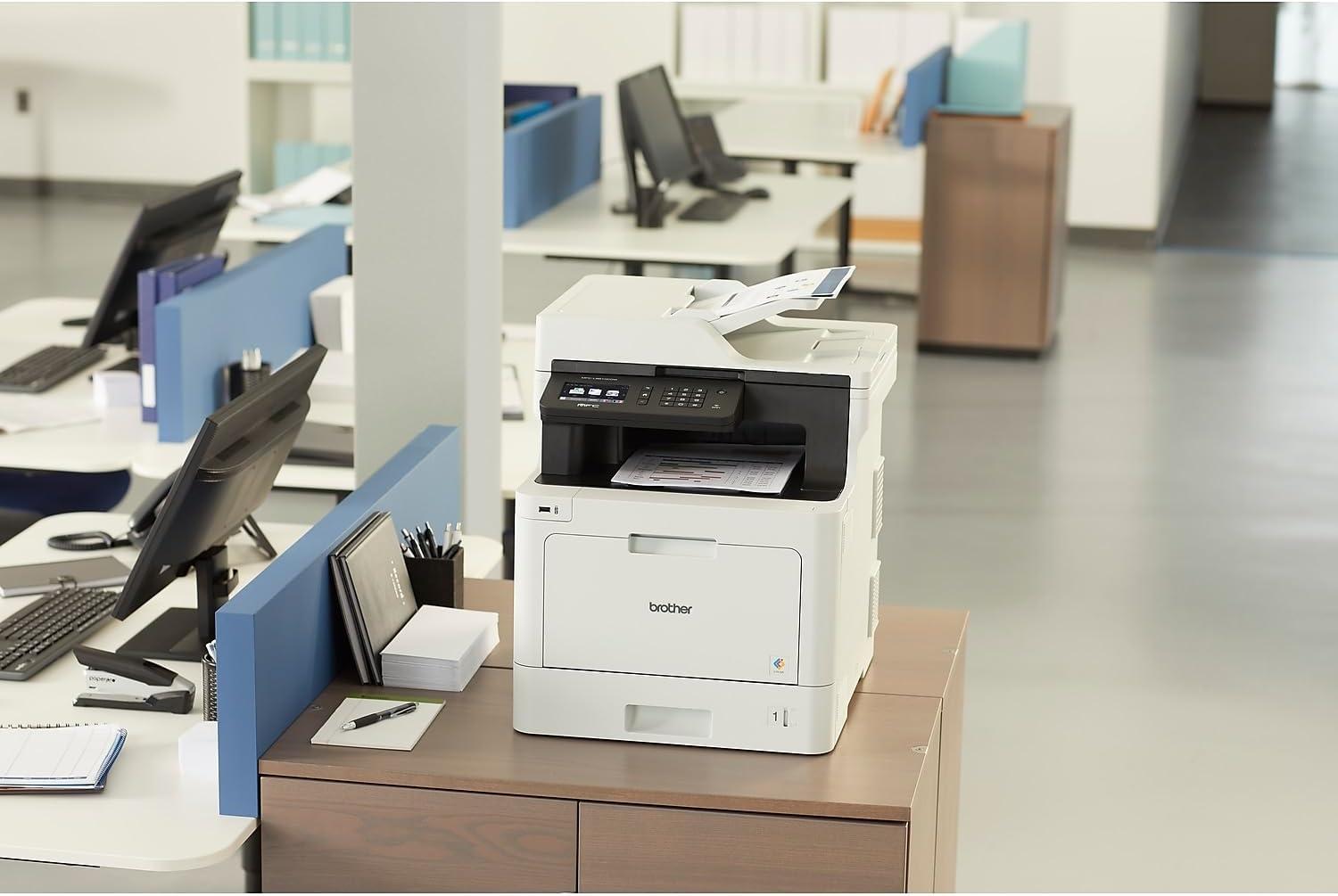
We found the scanning capabilities to be impressively versatile and straightforward. The adjustable 3.7″ touchscreen made it easy to navigate through scanning options, allowing us to send scanned documents directly to email, USB drives, SharePoint, or popular cloud platforms like Google Drive and dropbox. The 50-page automatic document feeder proved invaluable for handling multi-page scanning jobs efficiently, and scan speeds of up to 29 images per minute meant we could digitize large volumes without delay.The option to scan in color or black-and-white offered flexibility depending on the document type, and the image quality remained consistently sharp for professional use.
The copying function matched this performance with quick turnaround times of up to 33 pages per minute. We appreciated the smooth process enabled by the adjustable paper trays, accommodating a variety of paper sizes and minimizing the need for constant refills.Copy quality was reliably crisp and vibrant for color documents, important for office presentations and client materials. Additional security features impressed us by allowing controlled access, helping to reduce needless color copying and save toners. Below is a quick overview of key scanning and copying specs we tested:
| Feature | Performance |
|---|---|
| Max Scan Speed | 29 images per minute |
| Automatic Document Feeder | 50 pages capacity |
| Copy Speed | Up to 33 pages per minute |
| Touchscreen Size | 3.7 inches, adjustable |
| Scan Destinations | Email, USB, Cloud, Network |
Check Current Price & Reviews
Final Thoughts and Recommendations for Potential Buyers
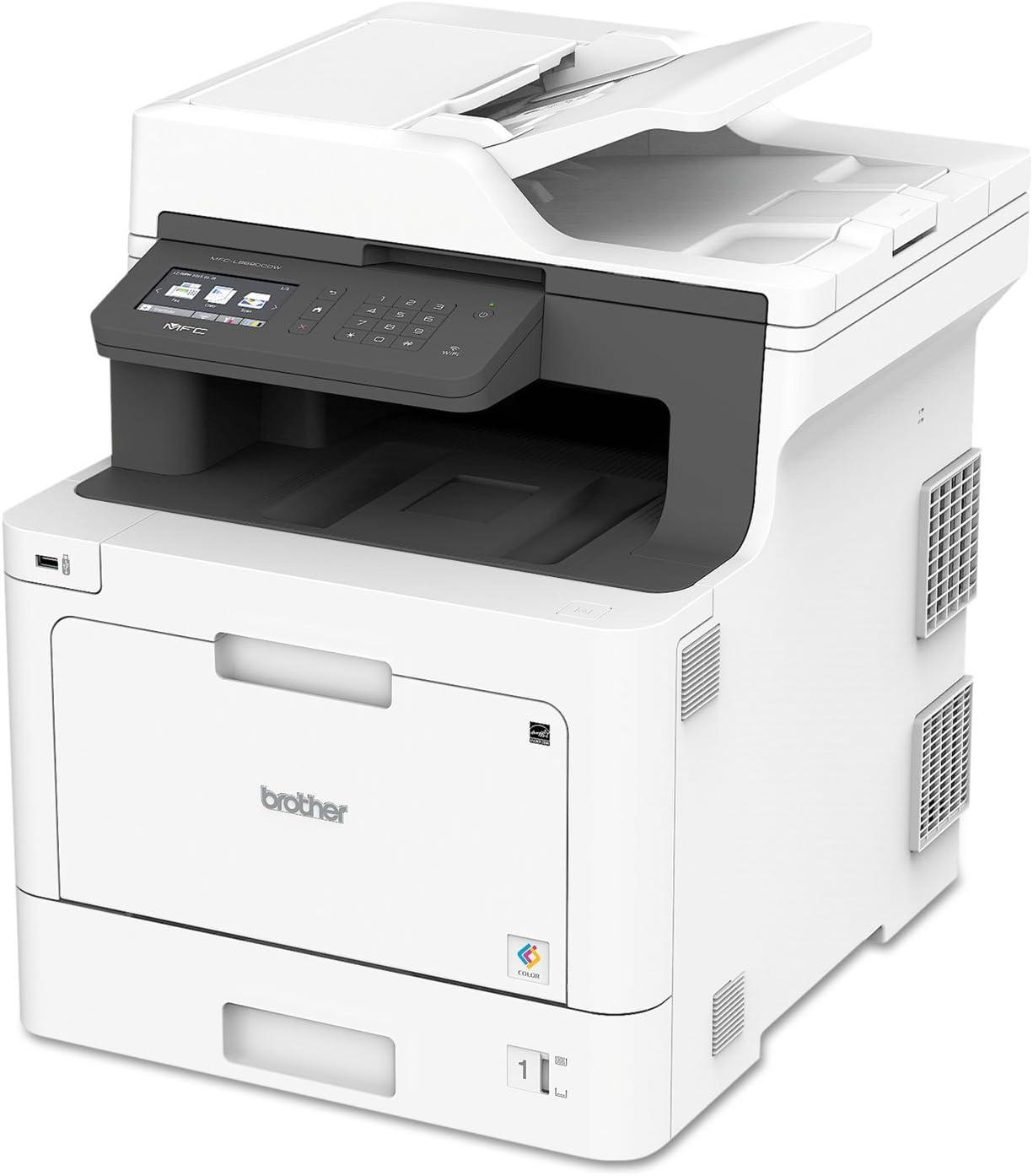
After thorough testing and hands-on experience, we find this all-in-one unit to be a solid choice for small offices and workgroups seeking a balance of speed, quality, and convenience. The combination of fast print speeds-up to 33 pages per minute-and versatile scanning capabilities that integrate with popular cloud services significantly streamlines daily workflows. The wireless and Gigabit Ethernet connectivity options add a layer of flexibility ideal for shared environments,while the 3.7″ touchscreen simplifies navigation. Not to mention, advanced security features provide peace of mind by limiting unauthorized access and helping control printing costs.
For those who prioritize efficiency, the Dash Replenishment system is a game-changer, automatically monitoring toner levels and ensuring timely delivery of genuine replacements-this means less downtime and uninterrupted productivity. The customizable paper capacity and multi-destination scanning also add to the ease of use for varied business needs. If your team requires reliable, business-quality color printing with cost-saving features and smart document handling, here’s a quick overview to sum up the benefits:
- High-speed output: 33 ppm print and 29 ipm scan
- Connectivity: Wireless, ethernet, mobile device printing
- Enhanced security: Access control and color print restrictions
- Smart toner management: Dash Replenishment enabled
- Flexible paper handling: Adjustable trays up to 1,050 sheets
| Feature | Benefit |
|---|---|
| Print Speed | 33 ppm for quick turnaround |
| Scan Destinations | Email, cloud, USB, SharePoint |
| Paper Capacity | 250 sheets standard, expandable to 1,050 |
| Security | access restrictions and color limits |
| Toner Management | Auto-orders replacements via Dash Replenishment |
We encourage those weighing their options to consider how these features align with your specific office demands. For businesses ready to enhance efficiency with dependable color printing and streamlined scanning, this device comes highly recommended. Take the next step and check the latest pricing and availability by clicking the button below.
Pros & Cons of the Brother MFCL8610CDW
After spending considerable time with the Brother MFCL8610CDW, we feel confident about what makes it the backbone of our office productivity – and where it leaves room for improvement. Here’s our balanced take on this business color laser all-in-one printer:
| Pros | Cons |
|---|---|
| Fast, Reliable printing Up to 33 pages per minute keeps us moving without frustrating delays. |
Size & Weight At over 61 lbs and a footprint of 17.1″ x 20.7″, it needs a dedicated spot on your desk or office floor. |
| Versatile Scanning Scan-to-email, cloud, SharePoint & USB integration streamline our document workflows with ease. |
Learning Curve on Touchscreen The 3.7″ touchscreen is intuitive but takes some getting used to, especially for multi-step scans. |
| Duplex Printing Included Automatic double-sided printing helps us cut costs and reduce paper waste effortlessly. |
Color Print Costs Color toner can be pricey, so careful use is recommended for keeping expenses in check. |
| Wireless & Ethernet Connectivity Supports multiple users via wi-Fi or wired networks, plus mobile device printing keeps us flexible. |
Repeater for Fax Feature fax functionality is basic; modern offices might find this feature less useful. |
| Dash Replenishment Auto ordering toner cartridges means no sudden dry spells slowing our workload. |
Noise Level Printing and copying is audible-we wouldn’t use it in a quiet room during calls. |
| Expandable paper capacity From 300 sheets to over 1000 with optional trays supports larger print jobs without interruptions. |
Initial Setup Requires moderate time investment to configure network settings and personalized options. |
the Brother MFCL8610CDW is an indispensable workhorse that balances fast output and smart features with some compromises in size and cost – factors that we find well worth the productivity gains in return.
As we’ve seen, the Brother MFCL8610CDW truly stands out as a reliable powerhouse for boosting office productivity. Its blend of speed, versatile scanning options, and seamless wireless connectivity creates a workflow that keeps our teams moving efficiently and securely. The added convenience of Dash Replenishment means we can focus on what matters most-our work-without worrying about running out of toner. For offices seeking a dependable all-in-one solution that balances performance and practicality, this Brother model remains a solid choice.
Ready to enhance your office efficiency with the Brother MFCL8610CDW?
Check it out here and take the next step toward smoother printing!
As an Amazon Associate I earn from qualifying purchases. Amazon and the Amazon logo are trademarks of Amazon.com, Inc, or its affiliates. All images belong to Amazon