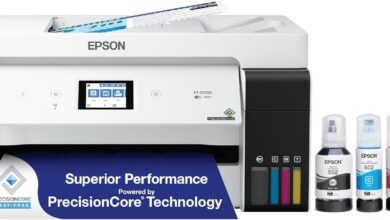
When it comes to choosing a home or small office printer, balancing cost-efficiency, print quality, and ease of use can be quite the juggling act. We recently got our hands on two of Epson’s popular all-in-one supertank models-the EcoTank ET-2800 and the EcoTank Photo ET-8500-to see how they stack up in real-life use. Both promise cartridge-free printing with massive ink savings, wireless convenience, and vibrant color output, but do they deliver on those claims? Over several weeks, we put these printers through a variety of tests-from everyday document printing to photo projects-to share our honest take on their setup, performance, and overall value.Join us as we explore the highs and lows of Epson’s EcoTank lineup and find out whether these printers might be the right fit for your printing needs.
Overview of the Epson EcoTank ET-2800 and ET-8500 Printers in Our Workspace

In our workspace, both models have proven to be solid contenders for users looking to cut down on ink expenses and cartridge waste. The cartridge-free design, featuring high-capacity refillable ink tanks, offers remarkable value over time, especially for frequent printing.Setting them up was straightforward with guided prompts, and the wireless connectivity allowed us to print conveniently from multiple devices. While the ET-2800 is ideal for efficient everyday document printing with sharp text and vibrant colors, the ET-8500 excels in producing lab-quality photos and creative projects, thanks to its 6-color ink system and advanced printhead. Both models maintain a compact footprint, saving valuable desk space without compromising on features.
Though, it’s certainly worth noting some mixed user experiences encountered during extended use. The ET-2800, while reliable generally, lacks automatic double-sided printing, and some of us noticed occasional paper jams and connectivity hiccups. Conversely, the ET-8500 offers auto 2-sided printing and improved media handling for specialty papers up to 1.3 mm thick, catering superbly to photo enthusiasts and creatives. Print speed is reasonable but varies by print mode and media type. they strike a balance between cost efficiency,quality,and ease of use,making them suitable for home offices and small businesses alike.
| Feature | ET-2800 | ET-8500 |
|---|---|---|
| Ink System | 4-color EcoTank | 6-color Claria ET Premium |
| Auto Duplex Printing | No | Yes |
| Max Print Resolution | Up to 5760 x 1440 dpi | Up to 5760 x 1440 dpi |
| Media Handling | Standard paper sizes | Supports cardstock, CDs/DVDs, glossy and specialty papers |
| Print Speed (Black) | Up to 10 ppm | Up to 15 ppm |
| Connectivity | Wireless, USB | Wireless, USB |
- Cost savings: Ink bottles last up to two years, cutting replacement costs by up to 90%
- Easy maintenance: Refillable tanks reduce cartridge waste and mess
- Versatility: Superior photo printing with ET-8500 enables borderless 8.5″x11″ prints
- Limitations: Occasional setup and connectivity quirks reported, especially with the ET-2800
exploring the Cartridge-Free all-in-One Design and Wireless Connectivity

One of the standout features that caught our attention is the cartridge-free tank system. Instead of fumbling with tiny ink cartridges that often run dry at the worst times, this design utilizes high-capacity refillable ink tanks that promise to print thousands of pages before needing a refill. The tanks are transparent and front-facing, allowing us to easily monitor ink levels without interrupting workflow. Refilling is straightforward and surprisingly mess-free, thanks to Epson’s exclusive EcoFit ink bottles, which minimize spills and waste.This setup not only reduces plastic waste significantly but also offers a dramatic savings on replacement ink, making it an eco-pleasant and cost-efficient choice. For home users and photo enthusiasts alike, having a single device that can print, scan, and copy in rich color without the constant worry of cartridge replacements is a game-changer.
The wireless connectivity further enhances the experience by offering the freedom to print from laptops, smartphones, and tablets without cables cluttering our space. Setup is generally fast with clear prompts,allowing the printer to join our home or small office network seamlessly. We found it very convenient to send print jobs from diffrent devices, whether working from another room or even printing photos directly from a mobile app. While user feedback on connectivity has been mixed-with some occasionally facing connection drops-most users report solid reliability and effortless integration with Wi-Fi networks. Below is a quick comparison of key wireless features that emphasize this printer’s accessible connectivity:
| Feature | Benefit |
|---|---|
| Wi-Fi Setup | Fast and guided installation process for hassle-free networking |
| Multi-Device Printing | Supports printing from smartphones, tablets, and computers |
| Remote Printing | Print from different rooms or locations via mobile apps |
| wireless Stability | Generally reliable with occasional connection drops reported |
Combining this all-in-one cartridge-free design with reliable wireless technology means we get a compact, efficient, and user-friendly printer that fits neatly into modern workflows without the usual clutter or cost concerns. Interested in upgrading your home or office printing setup? Check it out on Amazon and experience the convenience yourself!
Our Experience with Print Quality and Color precision
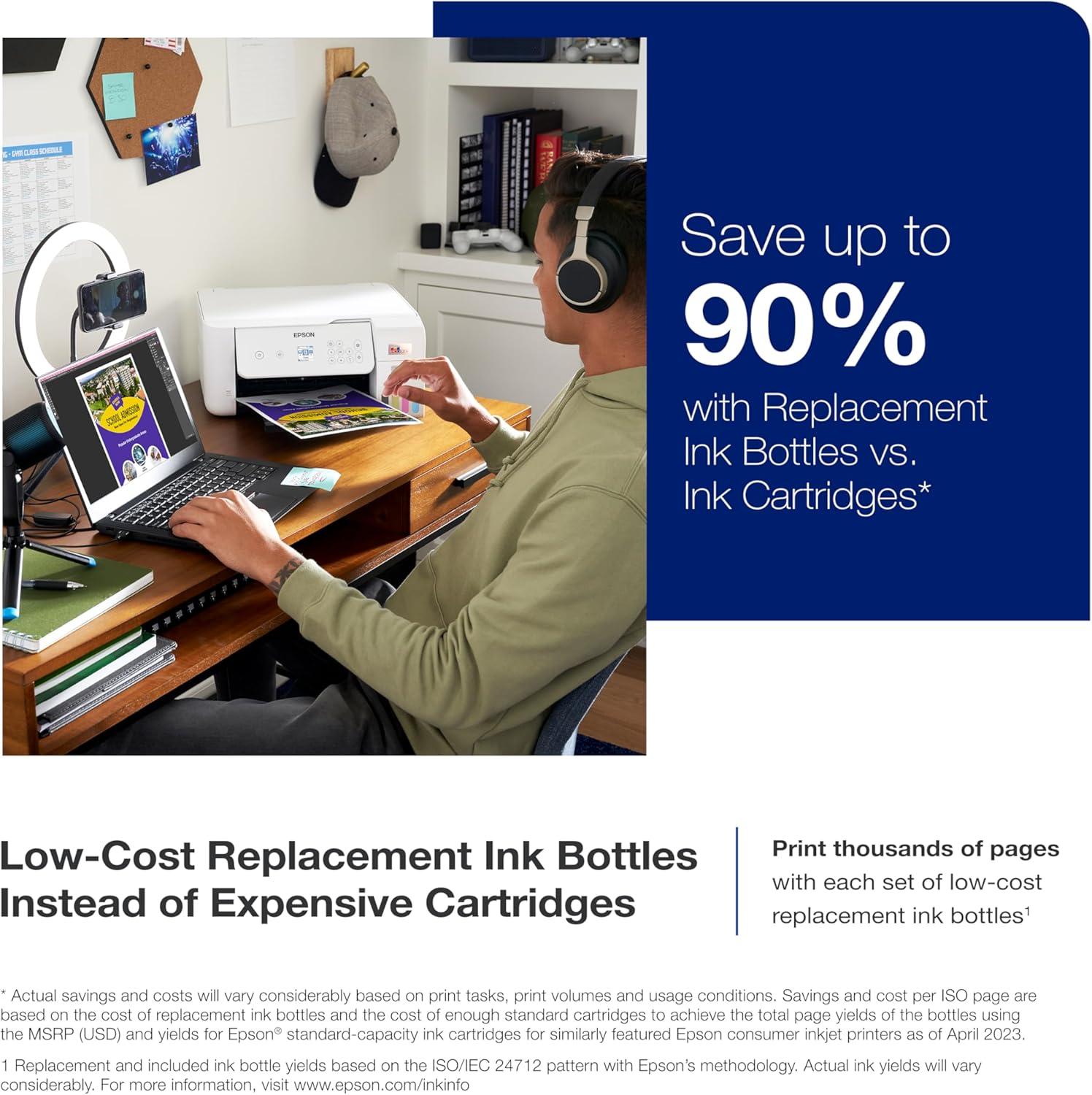
Our printing experience clearly showcased the strengths of the cartridge-free ink tank system, delivering crisp text and vibrant colors consistently. The print quality exceeded expectations for everyday documents, offering sharp and clear results that make home and small office prints look professional. When it came to photos, the color reproduction was impressively rich and balanced, especially on glossy photo papers, though not quite at the caliber of specialized photo printers. The high-accuracy printhead combined with premium 6-color inks brought out fine details and smooth gradients, making it ideal for creative projects. Plus, the borderless printing function on the photo model added a nice touch for vivid, full-frame images.
That said, some quirks impacted a perfectly smooth experience. While most prints emerged free of smudges and color inconsistencies, occasional nozzle clogs required manual cleaning, affecting seamless output for a few users. Double-sided automatic printing is one area where the photo model shines,but the standard model lacks this feature,which could be a drawback depending on your workflow. The following table summarizes key strengths and minor drawbacks related to print quality and color precision:
| Aspect | Performance | Notes |
|---|---|---|
| Text sharpness | Excellent | Clear, professional-looking for documents |
| Color Vibrancy | Very Good | Rich and vivid on photo paper |
| Photo Quality | Good | Great for casual photos; not high-end photo lab quality |
| Ink Precision | Consistent | Fine details preserved; occasional clogging |
| Duplex Printing | Photo model only | Auto double-sided on photo printer; manual on standard |
- Vibrant, rich colors for photos and graphics
- Sharp text ideal for documents and flyers
- Quick ink refills with mess-free EcoFit bottles
- Occasional nozzle cleaning needed to maintain quality
- No auto duplex on standard printer model
Diving into the Photo Printing Capabilities of the ET-8500
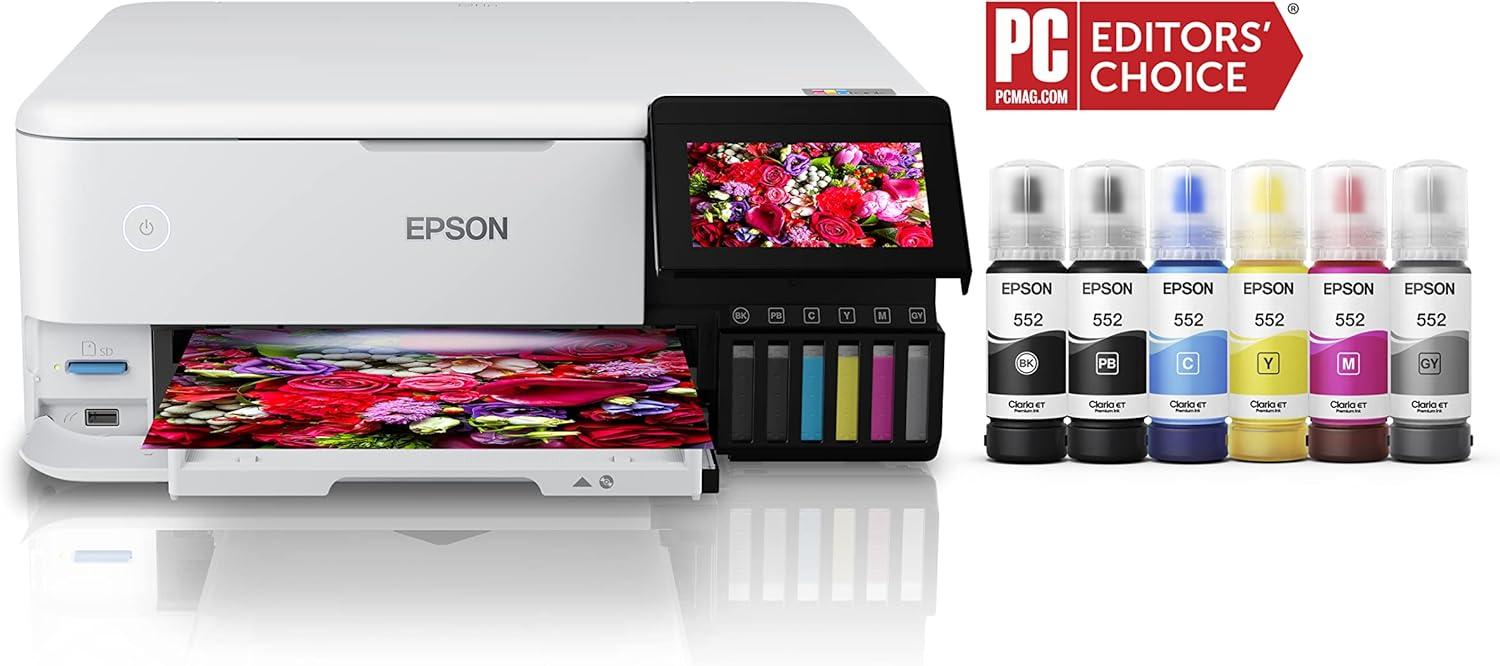
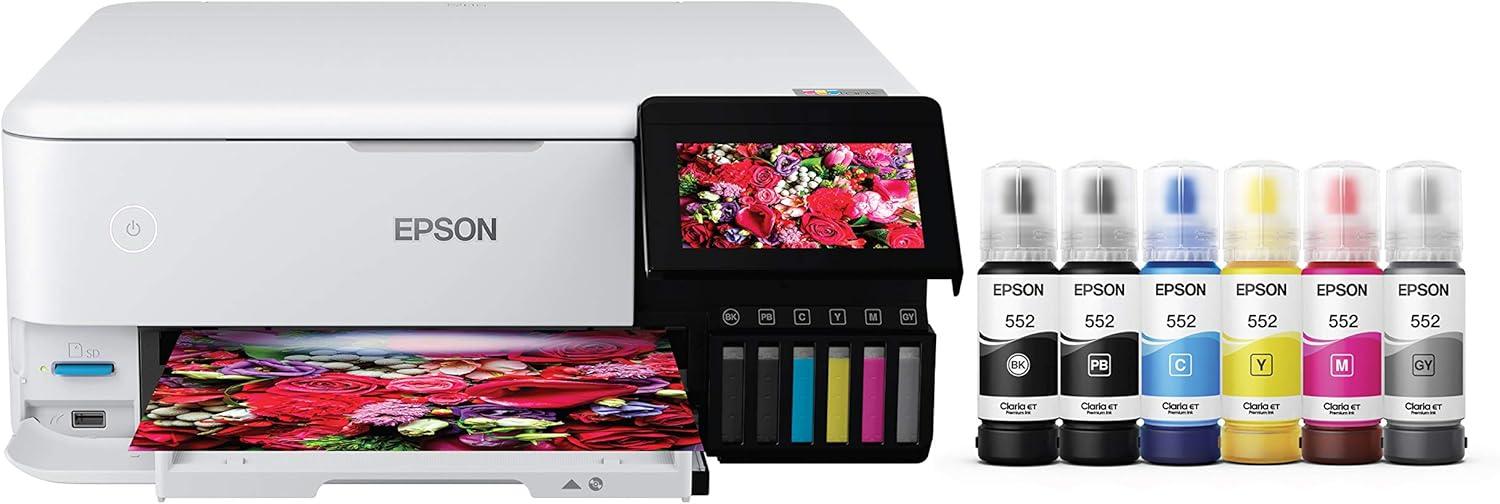
When it comes to photo printing, the ET-8500 truly stands out with its impressive combination of precision and vibrancy. Equipped with Epson’s Claria ET Premium 6-color inks and a highly accurate printhead, it produces lab-quality images that are sharp, colorful, and rich in detail. We especially appreciate its ability to handle diverse media types, including cardstock, CD/DVDs, and specialty papers up to 1.3 mm thick. This versatility opens up a world of creative possibilities, from borderless photos up to 8.5″ x 11″ to personalized craft projects. One of the highlights is its speed – printing a 4 x 6″ photo in as little as 15 seconds means we can enjoy quick results without sacrificing quality.
In terms of cost-efficiency, this printer is a game-changer. Thanks to the cartridge-free design and refillable EcoTank system, the cost per photo is drastically reduced – we’re talking about just around 4 cents per 4″ x 6″ print, compared to approximately 40 cents with traditional cartridges. This not only makes it economical for frequent photo printing but also environmentally friendly due to reduced cartridge waste.The auto two-sided printing feature further enhances functionality, providing added convenience for us when working on double-sided photo projects or print media.Below is a quick glance at some of its key photo-printing pros:
- Vibrant, sharp color output with 6-color ink technology
- Fast print speeds for photos, ideal for on-demand printing
- Supports a wide variety of paper sizes and types, including specialty media
- Borderless printing up to 8.5″ x 11″ for professional-looking photos
- Cost-effective printing with low-cost ink bottles and EcoTank system
| Feature | Benefit |
|---|---|
| 6-Color Claria ET Premium Ink | Vibrant, long-lasting, fade-resistant photos |
| Borderless Printing | Immersive edge-to-edge visuals |
| Specialty Media Handling | Print on cardstock, CDs, and thick media |
| Quick 4″x6″ Print | As fast as 15 seconds per photo |
| Ink Cost per Photo | Approximately 4 cents, saving up to 90% |
the ET-8500 blends outstanding print quality with affordability and versatility, making it an excellent choice for photography enthusiasts and creative pros looking to print stunning photos in-house. Ready to elevate your photo printing experience? Get yours today!
How the EcoTank System Changed Our Ink Refilling Routine
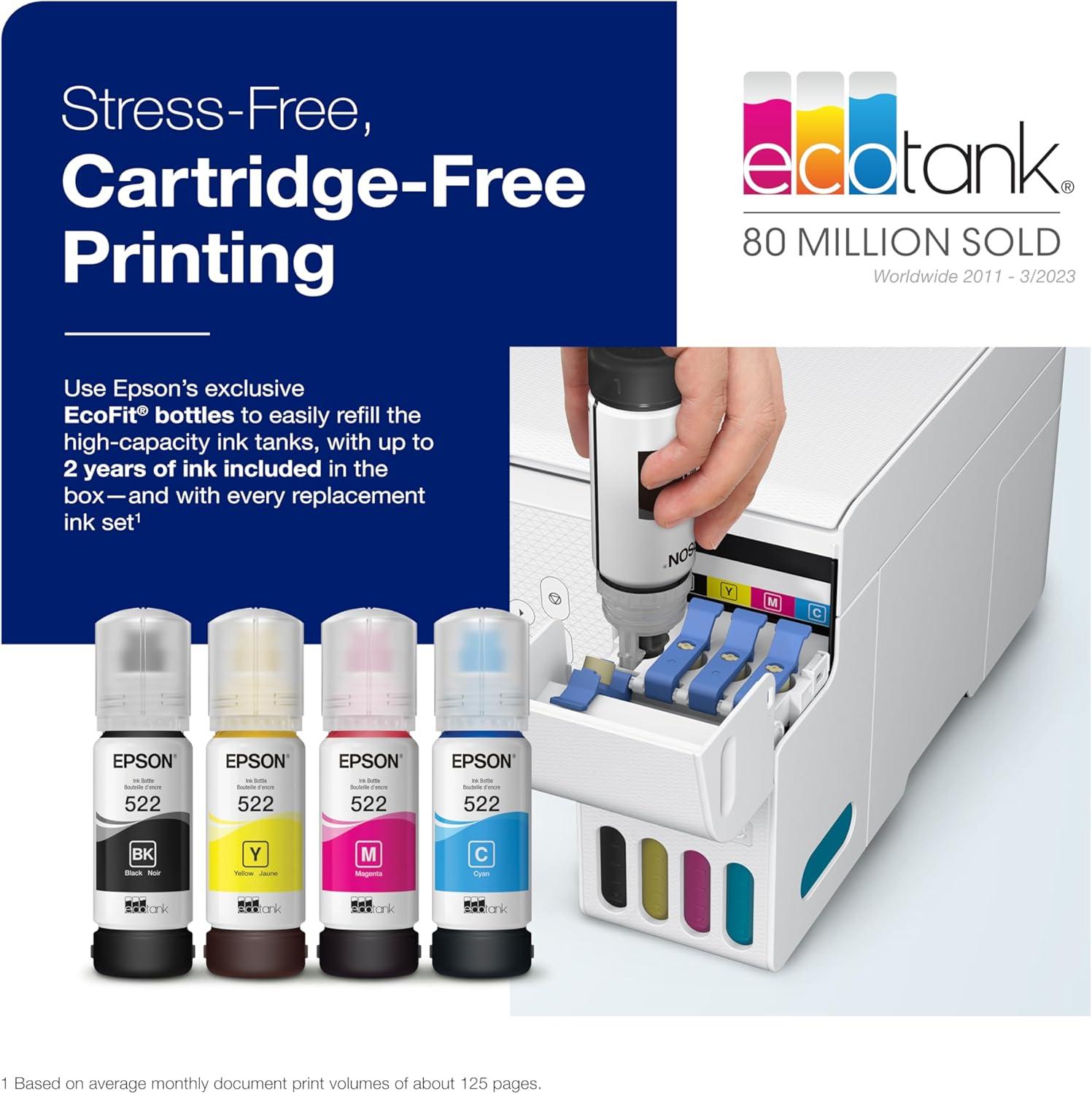
Switching to the EcoTank system entirely transformed how we handle ink refills. Gone are the days of scrambling for tiny, expensive cartridges and the frustration of suddenly running out mid-print. The cartridge-free design means we now refill with high-capacity, spill-free ink bottles that last for thousands of pages. This simple change not only saves us a significant amount on ink costs but also cuts down on plastic waste-a win for both our budget and the environment. The tanks are transparent, so we can easily monitor ink levels and refill proactively, avoiding any unexpected interruptions.
What impressed us most was how clean and straightforward refilling became. Instead of fumbling with cartridges, we just open the tank, insert the bottle nozzle, and watch the ink flow without mess or fuss. The printer’s setup guide and app make the entire process intuitive, even for those less tech-savvy. Plus, the wireless connectivity lets us print from anywhere at home with zero hassle. Here’s a quick comparison of benefits we noticed with the EcoTank system:
- Cost efficiency: Prints thousands of pages with one refill set.
- Eco-Friendly: Dramatically reduces plastic cartridge waste.
- Convenience: easy, mess-free refilling with visible ink levels.
- Reliability: Continuous, smooth printing with minimal downtime.
| Feature | Before EcoTank | After EcoTank |
|---|---|---|
| Ink Refilling Frequency | Every few weeks | Once every several months |
| Messiness | High (cartridge swapping) | Low (spill-free bottles) |
| Ink Cost | High ($$$) | Low ($) |
| Waste Produced | Lots of plastic cartridges | Minimal, refillable tanks |
the EcoTank system has turned ink refilling from a nuisance into a convenient, budget-friendly routine that works well for our home and small office printing needs. If you’re tired of cartridge hassles and want to cut costs and waste, check it out here and see the difference for yourself!
Usability and interface Features That Made an Impact
Setting up this cartridge-free printer was notably straightforward thanks to the clear, step-by-step instructions and intuitive onboard prompts. The included EcoFit ink bottles make refilling quick and clean, eliminating much of the mess and hassle frequently enough associated with traditional cartridges. We appreciated the clear ink level windows on the front panel, which provide a convenient glance at remaining ink without interrupting workflow.Wireless connectivity also simplified the printing process from multiple devices, including laptops, tablets, and smartphones, even though some users might encounter occasional connection glitches depending on their network environment.
Interface and Usability Highlights:
- Simple, guided setup with on-screen instructions
- Easy-to-fill, high-capacity ink tanks reducing frequent refills
- Visible ink levels via ink windows
- Wireless printing across multiple devices
- Compact design fitting comfortably into home or office spaces
- Quiet operation during printing
| Feature | Impact |
|---|---|
| Ink Bottle System | Less waste and cost savings up to 90% |
| Wireless Setup | Fast and flexible device connectivity |
| Display Interface | small but intuitive, guides through key processes |
| Print Speed & Quiet Mode | Suitable for home office with minimal noise disruption |
Despite its many advantages, there are a few caveats to consider. The interface screen, while helpful for setup, is relatively small, limiting detailed navigation and advanced settings adjustments. For power users, the absence of automatic double-sided printing on the ET-2800 model might be inconvenient, requiring manual page flipping. Also, the printer app occasionally demands patience due to connectivity inconsistencies, though this is common with many wireless printers. the benefits of low-cost, cartridge-free printing and straightforward operation outweigh these minor drawbacks, making it a strong contender for those seeking hassle-free ink management and flexible wireless use.
Check Latest Prices & Deals on Amazon
Final Thoughts and Recommendations Based on Our Time with These Printers
After spending considerable time with both models, it’s clear these printers excel in providing long-term ink savings and hassle-free cartridge-free operation. The high-capacity ink tanks deliver impressive page yields-up to thousands of pages-which translates into substantial cost reductions compared to traditional cartridge-based printers. Setting up the system is generally straightforward, especially following the guided prompts, and wireless connectivity works well for printing from multiple devices. Users looking for vibrant color prints and solid photo output will appreciate the advanced printhead technology and premium inks, which produce sharp text and bright, vivid images.
Though, there are trade-offs to consider. Neither printer supports fully automatic double-sided printing on the ET-2800, which can be a limitation for those needing duplex functionality. Some users might find the user interface and app connectivity a bit cumbersome or encounter occasional paper jams, especially when tackling larger print jobs. Noise levels during printing can also be noticeable in quiet environments. for home offices, small businesses, or photo enthusiasts looking for affordable operating costs, these machines offer fantastic value.
| Feature | Strength | Consideration |
|---|---|---|
| Ink Efficiency | Up to 90% savings vs cartridges | Requires occasional nozzle cleaning |
| Print Quality | Crisp text & vibrant photos | Photo quality not quite pro-level |
| Wireless Connectivity | Easy setup on most devices | Intermittent app connection issues reported |
| Duplex Printing | Available on photo model | Manual on some models (ET-2800) |
| noise Level | Quiet in normal use | Can be loud during extended prints |
- Ideal for: Home users and small offices valuing low-cost ink and easy refills
- Great choice for: Hobbyists and creatives printing photos and graphics
- keep in mind: Occasional maintenance and manual duplexing may be needed
If you’re ready to embrace an eco-friendly, economical printing solution that delivers solid performance with minimal fuss, check it out here and enjoy smarter printing today.
Pros & Cons of the Epson EcoTank ET-2800 & ET-8500
After diving deep into customer feedback and our own exploration of the Epson EcoTank ET-2800 and EcoTank Photo ET-8500, here’s how we see the value and quality balance shape up. Both printers come with their victories and quirks, making them suitable for certain users but not a silver bullet for all.
| Pros | Cons |
|---|---|
|
|
Our verdict? These EcoTank models are shining stars in cost efficiency and setup ease for many users, especially hobbyists, home office workers, and casual photographers.However, if you demand seamless reliability, blazing speed, or intense print volumes, you might find them a little wanting. Like many tools, it’s about matching their strengths to your own unique print habits.
As we wrap up our balanced take on the Epson EcoTank ET-2800 and ET-8500 printers, it’s clear that these cartridge-free supertank solutions offer compelling value-especially when it comes to ink savings and ease of setup. the ET-2800 shines in straightforward, budget-friendly home and small office printing, while the ET-8500 steps up the game with richer color output and versatile media handling for photo enthusiasts and creatives alike.That said, mixed reviews remind us that no product is without its quirks: occasional connectivity hiccups, single-sided printing on the ET-2800, and some reliability concerns highlight areas for consideration before committing. If you prioritize low ink costs, wireless convenience, and decent print quality in a compact package, these EcoTank printers could be a smart fit.
Ultimately, whether you’re printing everyday documents or vibrant photos, these Epson models strike a meaningful balance between quality and affordability-if you’re willing to navigate the occasional learning curve.
Curious to see if they fit your needs? Explore the options and find your perfect match here: Check out the Epson EcoTank ET-2800 & ET-8500 on Amazon.
As an Amazon Associate I earn from qualifying purchases. Amazon and the Amazon logo are trademarks of Amazon.com, Inc, or its affiliates. All images belong to Amazon