When it comes to large-format printing and scanning, finding a solution that balances speed, precision, and versatility isn’t always easy. That’s why we were eager to put the Canon imagePROGRAF TM-305 36-inch 5-Color Inkjet Printer Plotter through its paces. This all-in-one powerhouse combines high-speed printing with an integrated scanning and copying system, designed not just to meet the demands of busy offices and job sites, but to streamline workflows with an intuitive touchscreen interface and smart software. Over the past few weeks, we’ve explored how the TM-305 handles everything from crisp technical drawings to vibrant posters, and how its suite of features-from water-resistant pigment inks to direct USB printing-holds up in real-world scenarios. Join us as we unpack what makes this Canon device a compelling option for professionals who need large-format output without compromise.
Overview of our Experience with the Canon imagePROGRAF TM-305
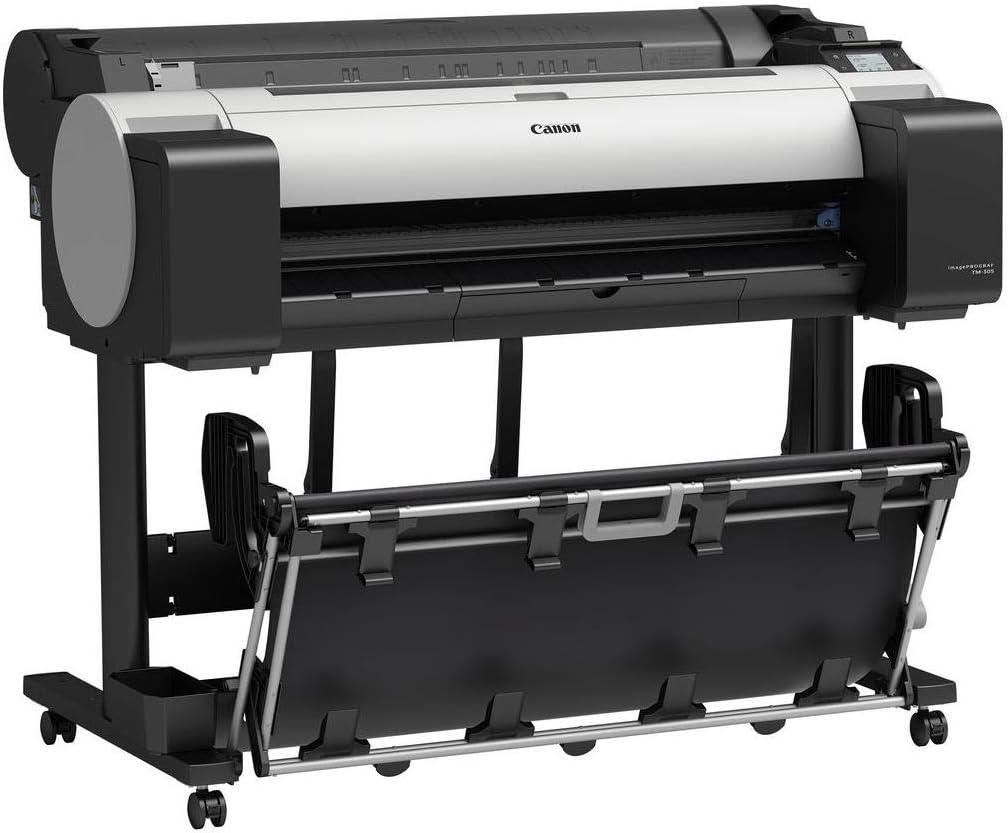
Our time with this 36-inch 5-color inkjet printer plotter revealed a machine that truly balances speed, precision, and versatility.The integrated multi-function system, combining printing and scanning capabilities seamlessly, allowed us to handle large-format projects efficiently without interruptions. The included All-In-One touchscreen computer and SmartWorks software streamlined workflows by providing intuitive controls and smart batch scanning, which significantly improved our productivity. We especially appreciated the quiet operation,which made it easy to keep the device in a busy office environment without distracting noise.
From print quality to hardware features, this model impressed with its sharp, water-resistant pigment inks that delivered fine lines and vibrant results even on non-inkjet and outdoor media. The flat stacking basket handled multiple prints neatly, while the direct USB thumb drive printing and Wi-fi compatibility added much convenience for on-the-go tasks. We also found the built-in 500GB hard drive and security features reassuring for efficient, safe operation. Below is a fast snapshot of what stood out to us:
- Print Speed: Up to 144 D-size prints per hour
- Scan Speeds: Up to 13 ips in monochrome, 6 ips in color
- Maximum Print Resolution: 2400 x 1200 dpi for razor-sharp detail
- Media Handling: Supports rolls and cut sheets up to 36 inches wide
- Ink System: 5-color LUCIA TD pigment inks ensuring water resistance and durability
| Feature | Specification | Benefit |
|---|---|---|
| Print Head | PF-06, 15,360 nozzles | High precision, reduced mist, fine line accuracy |
| Scanner | Z36 CIS, up to 1200 dpi optical | Consistent color accuracy, large-format up to 38″ wide |
| Connectivity | Wi-Fi, USB 3.0,ethernet | Flexible,fast file transfer & direct printing |
| ink Tanks | 130 ml or 300 ml,Sub-Ink Tank System | On-the-fly replacement and minimizes waste |
| Operating Noise | Approx. 44 dB(A) | Quiet operation, suitable for shared workspaces |
Whether you’re handling architectural drawings, maps, or posters, this 36-inch powerhouse equips your team with the tools to get the job done faster and smarter. To see how this versatile printer plotter fits your workflow, check out the latest deals and user reviews from trusted retailers below.
Discover Pricing & Reviews on Amazon
Exploring the Print quality and Color Precision
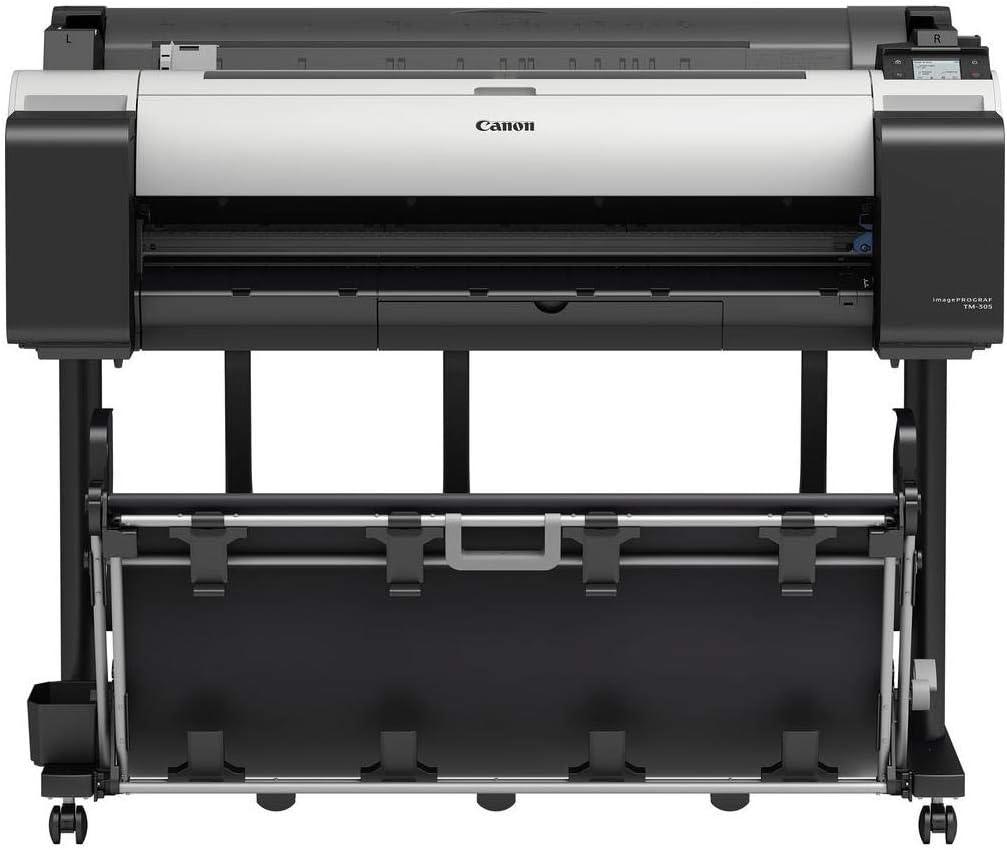
We were thoroughly impressed by the razor-sharp print resolution of up to 2400 x 1200 dpi, resulting in remarkably fine detail and crisp text. This is largely thanks to the advanced PF-06 print head equipped with 15,360 nozzles that deliver consistent 5 picoliter ink droplets. The precision nozzle design minimizes mist spray and maintains line accuracy down to an remarkable ±0.10%, with lines as thin as 0.02mm-perfect for technical drawings and architectural plans. Coupled with the five-color LUCIA TD pigment ink set, prints retain superb sharpness on both coated and uncoated media, with outstanding water resistance that withstands demanding outdoor conditions without compromising clarity.
The color fidelity stands out with deep, rich blacks and vibrant cyan, magenta, and yellow hues that reproduce images and renderings with excellent gradation and shadow detail. The proprietary SingleSensor technology in the scanner complements this by delivering more consistent and accurate color captures, ensuring what you scan closely mirrors what you print. We also appreciated the inclusion of SmartWorks MFP software, which optimizes color enhancements and image sharpening to maintain vibrancy across various media types. Whether printing on matte paper or glossy photo stock, the device offers remarkable versatility and precision.
| Feature | Specification | Benefit |
|---|---|---|
| Print Resolution | Up to 2400 x 1200 dpi | Ultra-fine detail & sharp lines |
| Ink Technology | 5-color LUCIA TD Pigment Ink | Water-resistant, vibrant, durable prints |
| Print Head | PF-06, 15,360 nozzles | High precision & minimal ink mist |
| Color Accuracy | SingleSensor Scanner Technology | consistent, true-to-life colors |
| Software Support | SmartWorks MFP | Color enhancement & sharpening tools |
Curious to see this print quality firsthand? Discover the Printer on Amazon
Design and Usability in Our Day-to-Day Workflow
Integrating this large-format system into our daily workflow brought immediate improvements thanks to its thoughtfully designed All-In-One touchscreen computer and scanner combo. The 15.6″ interactive display offers a clean, intuitive interface that simplifies printer management, scanning, and file sharing. We appreciate how the open architecture allows us to add custom programs, making it adaptable to evolving project demands. The system’s compact footprint and ergonomic setup fit neatly into tight spaces without compromising functionality. The flat stacking basket keeps prints perfectly organized,preventing smudges and damage as they accumulate,which significantly improves our workspace efficiency.
From a usability standpoint, features like direct USB thumb drive printing and wireless connectivity streamline rapid job submissions, eliminating unnecessary wait times.The high-speed scanning with up to 13 inches per second in monochrome and the smart “scan-it-once” batch processing integrated in the software drastically reduce repetitive tasks. Maintenance is straightforward-with clear ink status updates and on-the-fly sub-ink tank replacements ensuring minimal downtime. Below is a snapshot comparing key usability elements we found critical during our regular operations:
| Feature | Benefit | Impact on Workflow |
|---|---|---|
| All-In-One Touchscreen Computer | Centralized control & customization | Speeds printer & scan operations |
| Sub-Ink Tank System | Ink replacement without pausing | Uninterrupted long print jobs |
| Direct USB Printing | Print files without PC | Quick job starts on-site |
| Wi-Fi Printing Support | Wireless job submission | Flexible printer placement |
| SmartWorks MFP Software | Efficient batch scans & enhanced image quality | Optimized document archiving |
Ultimately, this printer plotter’s design thoughtfully aligns with the demands of busy offices and work sites where speed, accuracy, and simplicity are paramount. To see how it can enhance your printing and scanning productivity, check it out here.
Performance and speed: What We Noticed
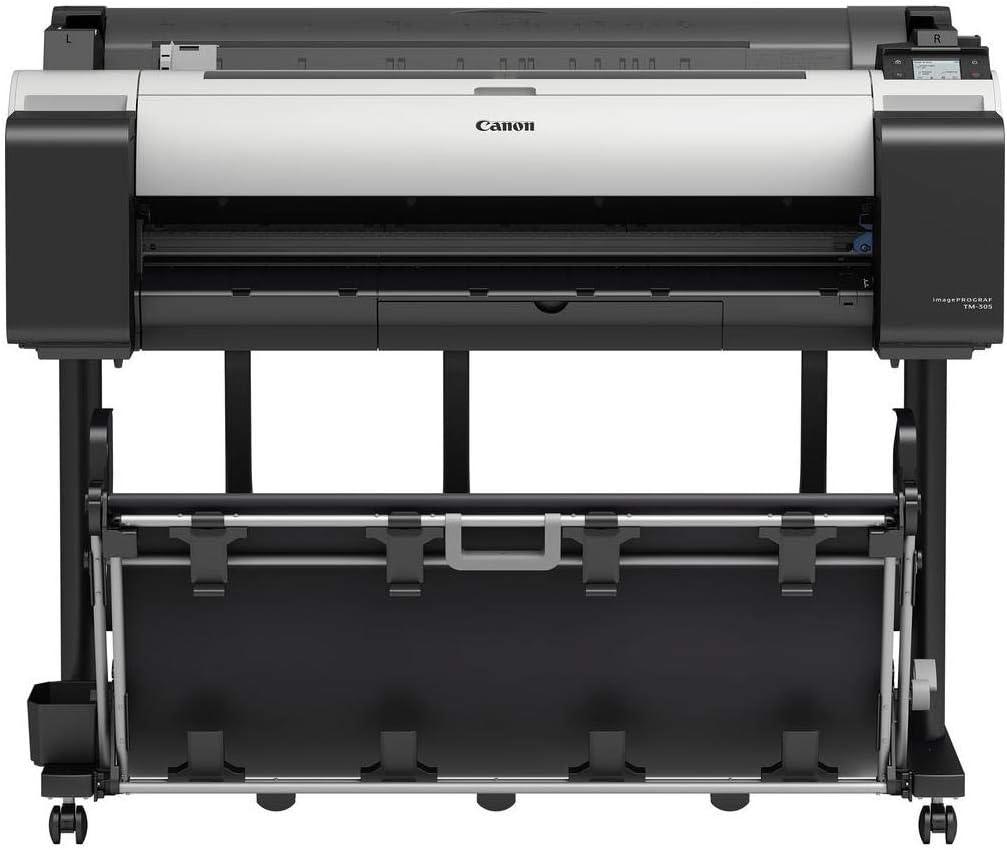
Right out of the gate, the printing speed impressed us-capable of churning out up to 144 D-sized prints per hour on uncoated media thanks to the advanced L-COA processor. The printer’s 6-channel PF-06 print head,with a whopping 15,360 nozzles,ensures sharp lines and crisp detail even at fast speeds,perfectly balancing quality and efficiency.Scanning is no slouch either; the integrated Z36 scanner offers up to 13 ips in monochrome and 6 ips in color, letting us digitize large-format documents swiftly without sacrificing resolution. Its single sensor technology provides excellent color consistency,making it ideal for professionals needing accurate reproductions of maps,drawings,and renderings.
- Simultaneous print and scan: Boosts overall productivity without bottlenecks.
- On-the-fly ink tank replacement: Keeps long print jobs running without interruption.
- USB direct printing: Quickly prints jpegs and PDFs straight from a thumb drive.
- Wi-fi connectivity: Streamlines file transfer for faster workflow on site or in the office.
| Feature | Specification | Benefit |
|---|---|---|
| Print Resolution | Up to 2400 × 1200 dpi | Detailed, sharp output for technical documents |
| Ink Droplet Size | 5 picoliters | Fine lines and smooth gradients |
| Scanning Width | Up to 36 inches | Supports wide-format documents without segmentation |
| Noise Level | Approx. 44 dB (operating) | Quiet operation for office-friendly environments |
What really stood out was the seamless integration of hardware and software-SmartWorks MFP software made batch scanning and multi-format output intuitive and fast. The flat stacking basket neatly organizes prints up to twenty sheets, which is a practical touch during high-volume jobs.Thanks to the Sub-Ink Tank System, we didn’t experience downtime, as tanks can be replaced mid-print, and virtually no ink was wasted. this solution offers a robust performance package for professionals requiring speed,precision,and uninterrupted operation.
Ink System and Cost Efficiency from Our Perspective
The 5-color pigment ink set in this printer truly stands out for its ability to deliver sharp lines and crisp text with remarkable water resistance-ideal for outdoor job sites and technical drawings that need to withstand harsh conditions. We appreciate the flexible ink tank sizes (130 ml or 300 ml), which cater to both moderate and high-volume printing needs. The ingenious Sub Ink Tank System significantly reduces waste by allowing almost all the ink to be utilized before replacement, and the capability to swap empty tanks mid-print without pausing a job is a major productivity bonus for us during long runs.
When it comes to managing costs, the built-in Accounting Manager software is a game changer. It provides detailed tracking of ink and paper usage, enabling us to assign custom costs to each ink color and media type, which helps keep budgets clear and precise.Below is a brief overview of typical ink usage and cost efficiency factors:
| ink Tank Size | Yield (Approx.) | Cost Efficiency Feature |
|---|---|---|
| 130 ml | Medium runs | Ideal for smaller print volumes or testing |
| 300 ml | High volume | Best for extended jobs, lower cost per page |
| Sub Ink Tank System | 100% usage | Minimal ink waste & on-the-fly replacements |
- High ink droplet accuracy: ensures minimal overuse and extraordinary print detail
- Integrated software: streamlines cost monitoring and print management
- Compatibility with water-resistant media: extends durability without requiring excessive ink layering
this printer’s ink system and cost control tools combine effectively to help us maintain a balance between quality output and operational expenses, making it a reliable choice for demanding professional environments.
Check Current Price & Availability
Connectivity and Compatibility with Our Devices
We found the connectivity options remarkably versatile for our busy office environment.Equipped with wi-Fi (IEEE 802.11 b/g/n) and 10/100/1000 Base-T Ethernet, the printer offers seamless network integration without requiring complex setups or additional routers. Direct USB thumb drive printing is a standout feature,allowing us to print jpegs and PDFs instantly by plugging in a USB device-no computer needed. With the built-in 500GB hard drive, print job storage and retrieval become effortless, reducing strain on our workstations. The inclusion of a 3″ color touchscreen operation panel on the all-in-one computer simplifies managing print jobs and monitoring status in real time.
Compatibility across platforms is another strong point. It supports Windows® 7 and later, macOS, plus specialized drivers like the TM Unified Printer Driver that allow easy switching between different imagePROGRAF models without extra installations. For users working with autocad,the optimized AutoCAD driver significantly cuts down processing and printing times,which we appreciated during tight project deadlines. Additionally, Canon’s SmartWorks MFP software and Direct Print Plus enable efficient batch scanning and printing from the included 15.6″ touchscreen AIO computer, making integration into our workflows smooth. Below is a summary of key connectivity features and compatibility details:
| Feature | Details |
|---|---|
| Network Interfaces | wi-Fi (802.11 b/g/n), gigabit Ethernet (10/100/1000 Base-T) |
| Direct Printing | USB Thumb Drive (JPEG, PDF files) |
| Compatibility | Windows 7/8.1/10,macOS 10.10.5 - 10.12.x, AutoCAD Optimized Driver |
| Software Tools | SmartWorks MFP, Direct Print Plus, TM Unified Printer Driver |
| Storage | 500GB Built-in Hard Drive for Job Spooling and Storage |
the connectivity and device compatibility elevate productivity by allowing multiple print and scan jobs to run concurrently, offering high flexibility no matter what hardware or software environment we were working in.This efficiency truly reflects in the day-to-day operations, making this printer plotter an excellent choice for teams needing speedy and reliable large format output.
Final Thoughts and recommendations Based on Our Use
After extensive use,we found this large-format printing solution to be a versatile and productivity-boosting powerhouse.The integration of a high-speed 36-inch printer and a precision scanner with an all-in-one touchscreen computer streamlines workflows, making it easy to print, scan, archive, and share documents simultaneously.The advanced smartworks MFP software simplifies batch scanning with intuitive controls and powerful image enhancement tools,while the fast print speeds-capable of up to 144 D-sized prints per hour-ensure even large jobs finish promptly. The 5-color pigment ink set delivers crisp lines and fade-resistant prints, perfect for durable outdoor applications like construction site drawings.Plus, the flat stacking basket and on-the-fly ink tank replacement design mean less downtime and neat output handling.
- Compact footprint fits well in small office spaces without sacrificing performance
- Wi-Fi and USB thumb drive printing add convenience and flexibility on the go
- Quiet operation ideal for busy environments where noise is a distraction
- Comprehensive security features protect confidential documents during print and scan jobs
| Feature | Benefit |
|---|---|
| 15,360 Nozzles Print Head | Ultra-sharp detail with 2400 × 1200 dpi max resolution |
| 500GB Hard Drive | Large job storage for efficient data management |
| Sub Ink Tank System | Minimizes ink waste and allows replacement without stopping print |
| Scan Length | Up to 598″ TIFF scanning for oversized documents |
For teams looking to balance speed, quality, and versatile functionality, this model offers a robust all-in-one printing and scanning experience. Whether your workflow demands high-volume CAD prints, detailed posters, or color-accurate maps, it meets the challenge efficiently. If productivity and reliability are your priorities, exploring this solution further is worth your time.
Pros & Cons of the Canon imagePROGRAF TM-305
After spending time exploring the Canon TM-305 36-inch 5-Color Inkjet Printer Plotter and its multi-functional ecosystem, here’s our balanced take on what makes this large-format powerhouse stand out – and where it might fall short for some users.
| Pros | Cons |
|---|---|
|
|
In sum, the Canon TM-305 shines when integrated into demanding environments where speed, precision, and versatility matter. Its bundled software and hardware ecosystem supports complex printing and scanning needs that go beyond the ordinary.However, smaller businesses or occasional users might find the investment and learning curve substantial, and the scanner exclusion from printer-only packages means extra budgeting if scanning is a must.
As we wrap up our exploration of the Canon imagePROGRAF TM-305, it’s clear that this powerhouse printer plotter offers a remarkable blend of speed, precision, and versatility for large-format printing needs. Whether you’re tackling detailed architectural blueprints,vibrant posters,or complex maps,the TM-305’s integrated scan-to-copy/share capabilities and refined pigment inks make it a reliable partner in productivity. its thoughtful design-from the quiet operation and compact footprint to the smart software ecosystem-means it fits seamlessly into busy offices and demanding job sites alike. For those seeking a comprehensive, high-quality large-format solution without compromise, the TM-305 stands out as a worthy contender.
Ready to see how the Canon TM-305 can elevate your printing workflow? Discover more and get yours here: Canon imagePROGRAF TM-305 36-inch 5-Color Inkjet Printer Plotter
As an Amazon Associate I earn from qualifying purchases. Amazon and the Amazon logo are trademarks of Amazon.com, Inc, or its affiliates. All images belong to Amazon