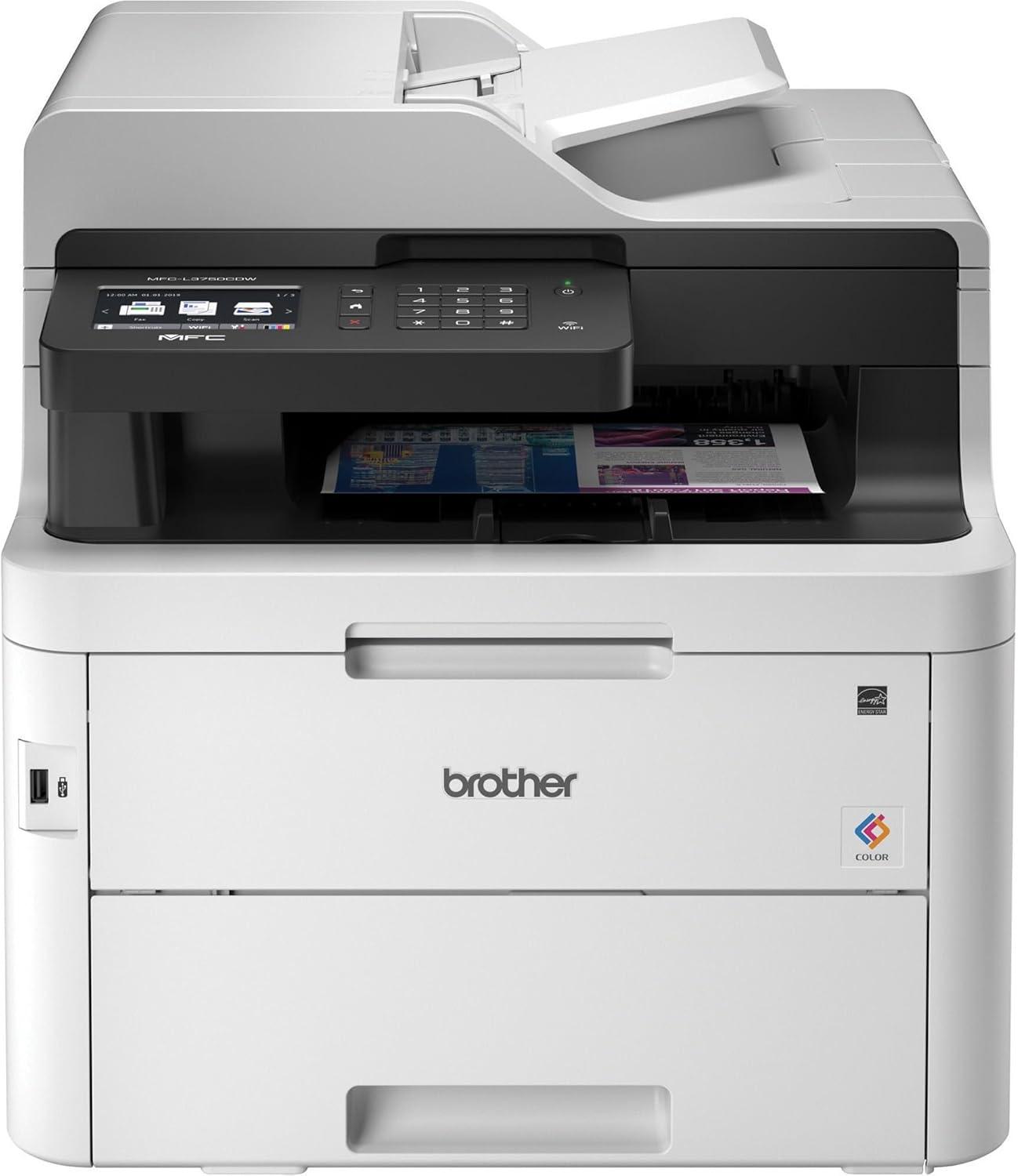
When it comes to finding a dependable all-in-one printer that balances performance, affordability, and modern features, we recently had the chance to put the Brother MFC-L3750CDW Digital Color All-in-One Printer to the test. Designed with busy homes and small offices in mind, this compact powerhouse promises laser-quality color printing, rapid output speeds, and versatile connectivity – all wrapped up in a robust, space-saving design. Over the course of using it, we discovered how it handles everything from high-volume printing jobs to wireless scanning with ease, making it a compelling option for anyone looking to streamline their document workflow without breaking the bank. In this review, we’ll share our firsthand experience with its print quality, speed, features like duplex printing and cloud integration, and whether it truly lives up to its reputation as a reliable workhorse.
Overview of the Brother MFC-L3750CDW and Our Initial impressions
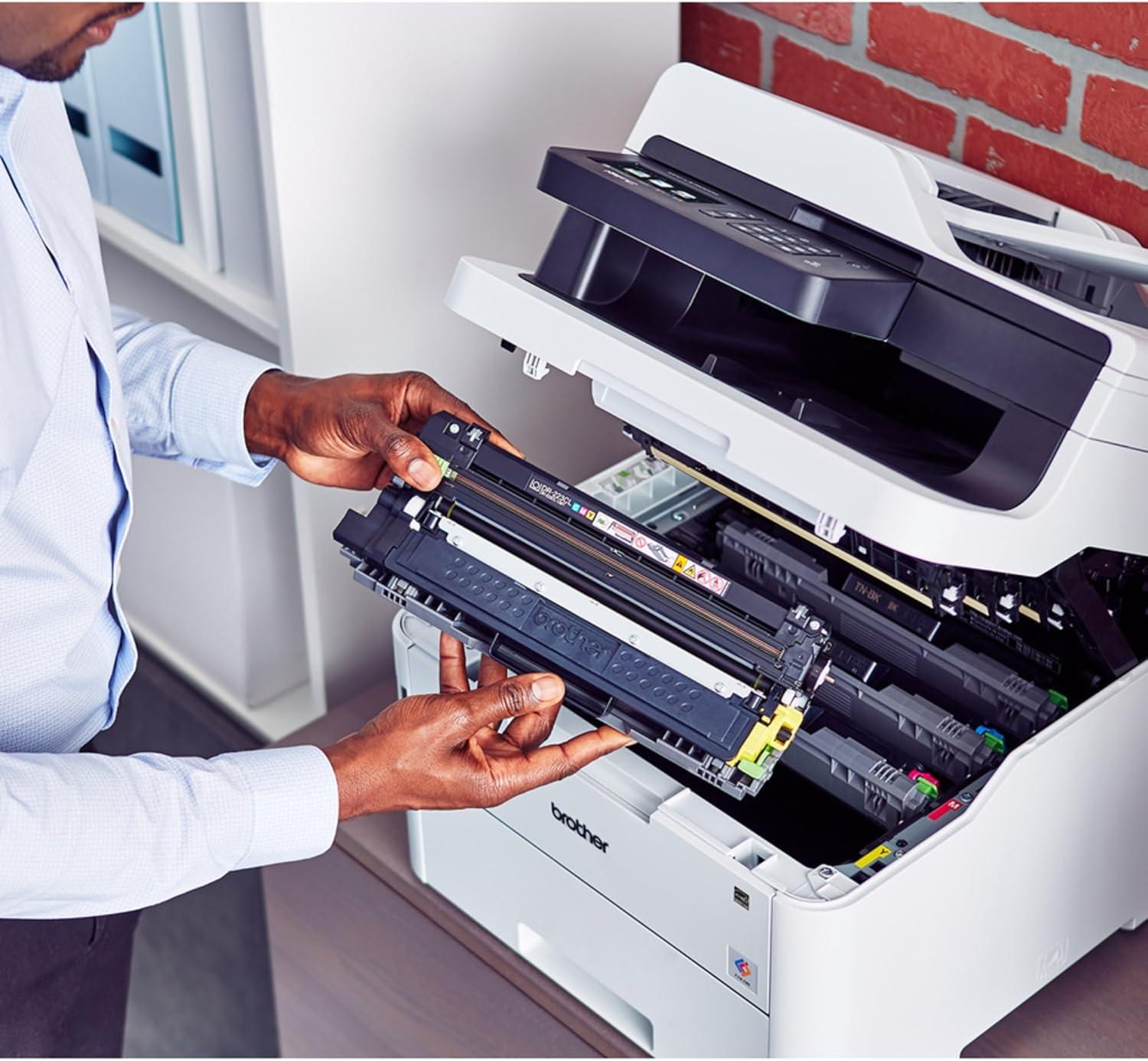
Right out of the box, this all-in-one laser printer impresses with its robust build and compact design, making it a perfect fit for busy home offices or small businesses where space is at a premium. The print quality is sharp and vibrant thanks to its digital color laser capabilities, delivering up to 25 pages per minute in blazing speed. We especially appreciated its automatic duplex feature, which not only saves paper but also streamlines our workflow by handling two-sided printing seamlessly. the inclusion of a 50-sheet automatic document feeder and a 250-sheet adjustable paper tray enhances productivity by reducing interruptions for paper refills or document handling. Plus, with toner save mode and high-yield cartridges, color printing becomes more economical without sacrificing quality.
Connectivity options truly stand out as this model offers versatile wireless, Ethernet, and USB interfaces, allowing us to print directly from smartphones, tablets, and laptops effortlessly. The intuitive 3.7″ color touchscreen puts cloud apps like Dropbox,Google Drive,and Evernote at our fingertips,enabling quick scanning and printing from popular platforms. Setting up custom shortcuts on the touchscreen further personalizes the experience for frequently used tasks. Operating noise is surprisingly quiet, which is a big plus in a home office environment. Altogether, the combination of performance, convenience, and affordability makes this printer a compelling choice for anyone looking to elevate their printing setup.
| Feature | Specification |
|---|---|
| Print Speed | Up to 25 ppm |
| Scan speed | 29 ipm (B&W), 22 ipm (Color) |
| Paper Capacity | 250 sheets adjustable tray |
| ADF Capacity | 50 sheets |
| Connectivity | wireless, Ethernet, USB |
| Display | 3.7″ Color Touchscreen |
| Duplex Printing | Automatic |
| Noise Level | 33 dB (Ready), 47 dB (Printing) |
- Compact footprint ideal for small spaces
- Reliable laser print quality with vivid color
- Time-saving duplex and ADF features
- multiple flexible connection methods for ease of use
- Eco-kind toner save mode for budget-conscious printing
Exploring the Print Quality and Speed for Everyday Tasks
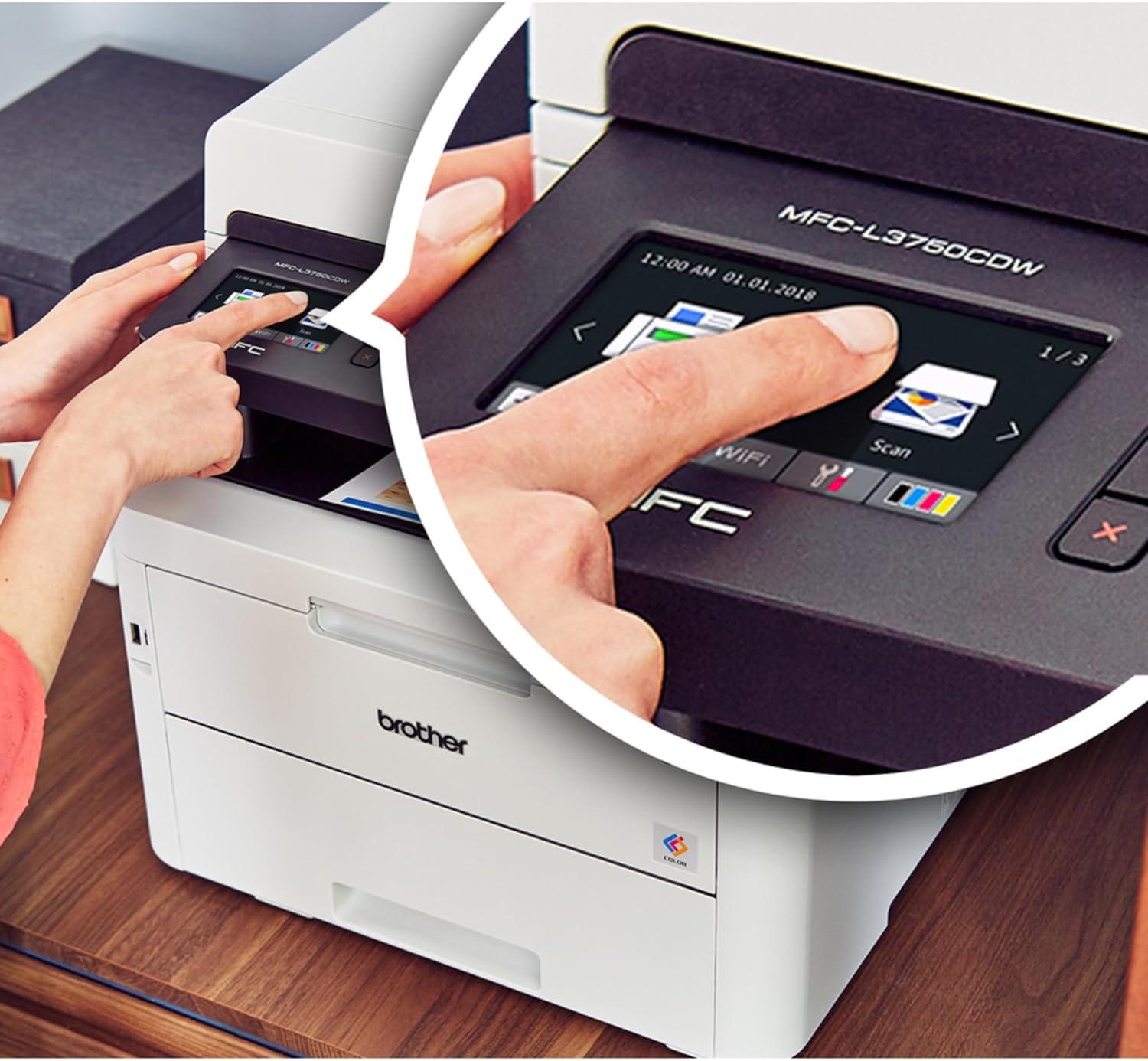
When it comes to quality, this all-in-one impresses with sharp, vibrant color output and clean, crisp black text that suits both documents and images. The laser technology ensures consistent results,making it ideal for daily home or small office needs. Thanks to Toner Save Mode, we noticed that color prints come out luminous without draining toner too quickly, which helps keep running costs reasonable. The automatic duplex printing not only reduces paper waste but also maintains quality on both sides,a real bonus for professional-looking double-sided reports and presentations.
Speed is another strong suit here; printing up to 25 pages per minute (ppm) means we rarely found ourselves waiting long, even during busy print sessions. Scanning also keeps pace with up to 29 images per minute in black and white, and 22 ppm in color, thanks to the 50-sheet automatic document feeder. This efficiency lets us multitask effortlessly and handle a variety of projects without constantly refilling the tray. Below is a quick comparison of print and scan speeds to highlight its performance:
| Task | Speed | Notes |
|---|---|---|
| Black & White Printing | Up to 25 ppm | Fast for text-heavy documents |
| color Printing | Up to 25 ppm | Vivid color output |
| Black & White Scanning | up to 29 ipm | High-speed document scanning |
| Color Scanning | Up to 22 ipm | great for images and photos |
- Automatic duplex printing saves time and paper
- Flexible paper handling with a 250-sheet adjustable tray
- Wireless connectivity keeps printing convenient from multiple devices
For anyone needing reliable speed and superior print quality without extra hassle, this device strikes an excellent balance.
Check Latest Price & Reviews
How Wireless and Duplex Printing Enhance Our Workflow
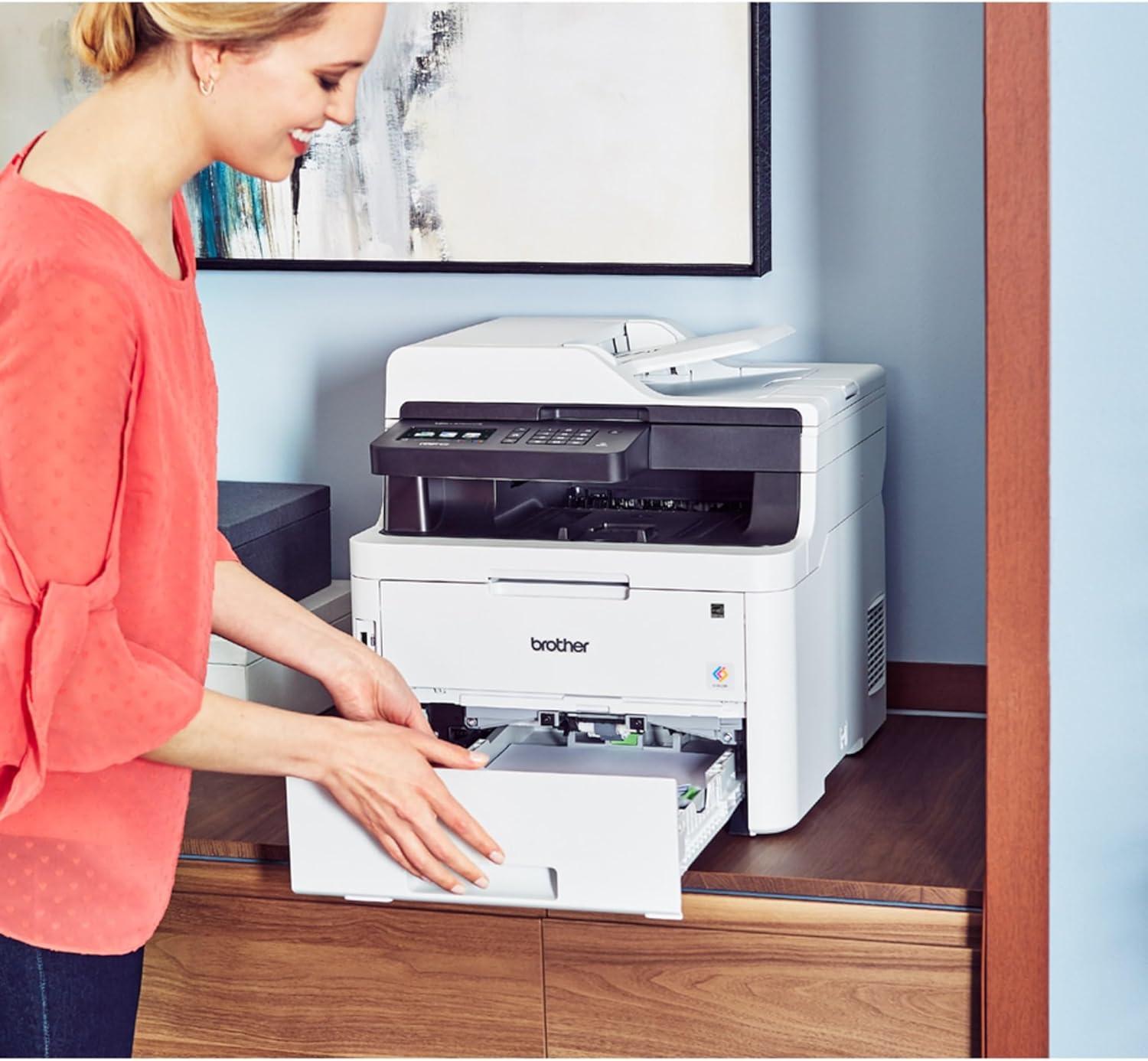
Integrating wireless printing into our daily tasks has truly transformed the way we handle documents. Being able to print directly from laptops,smartphones,or tablets without the hassle of cables means fewer interruptions and a more seamless experience. The Wi-Fi Direct and Ethernet connectivity options ensure that everyone in our office can effortlessly access the printer, nonetheless of their device. This flexibility not only speeds up our workflow but also eliminates bottlenecks, especially during busy periods when multiple print jobs are in queue.
Conversely, the automatic duplex printing feature has become an essential part of our sustainability goals and efficiency routine. By printing double-sided documents automatically, we save meaningful amounts of paper and reduce our environmental footprint. This also means less manual intervention, which speeds up the printing process and lets us focus on other critical tasks. Here’s a quick comparison of how duplex printing impacts our operations:
| Feature | Without Duplex | With Duplex |
|---|---|---|
| Paper Usage | 100 sheets | 50 sheets |
| Time Spent Flipping Pages | 3 minutes | 0 minutes |
| Environmental Impact | Higher | Lower |
| Print Speed (up to) | 25 ppm | 25 ppm |
These combined features promote a more productive environment by reducing clutter and enabling us to manage printing tasks remotely and efficiently. If you’re seeking to upgrade your office technology with reliable wireless connectivity and smart duplex functionality, this printer is a worthy consideration.
Diving into the User Interface and Ease of Setup
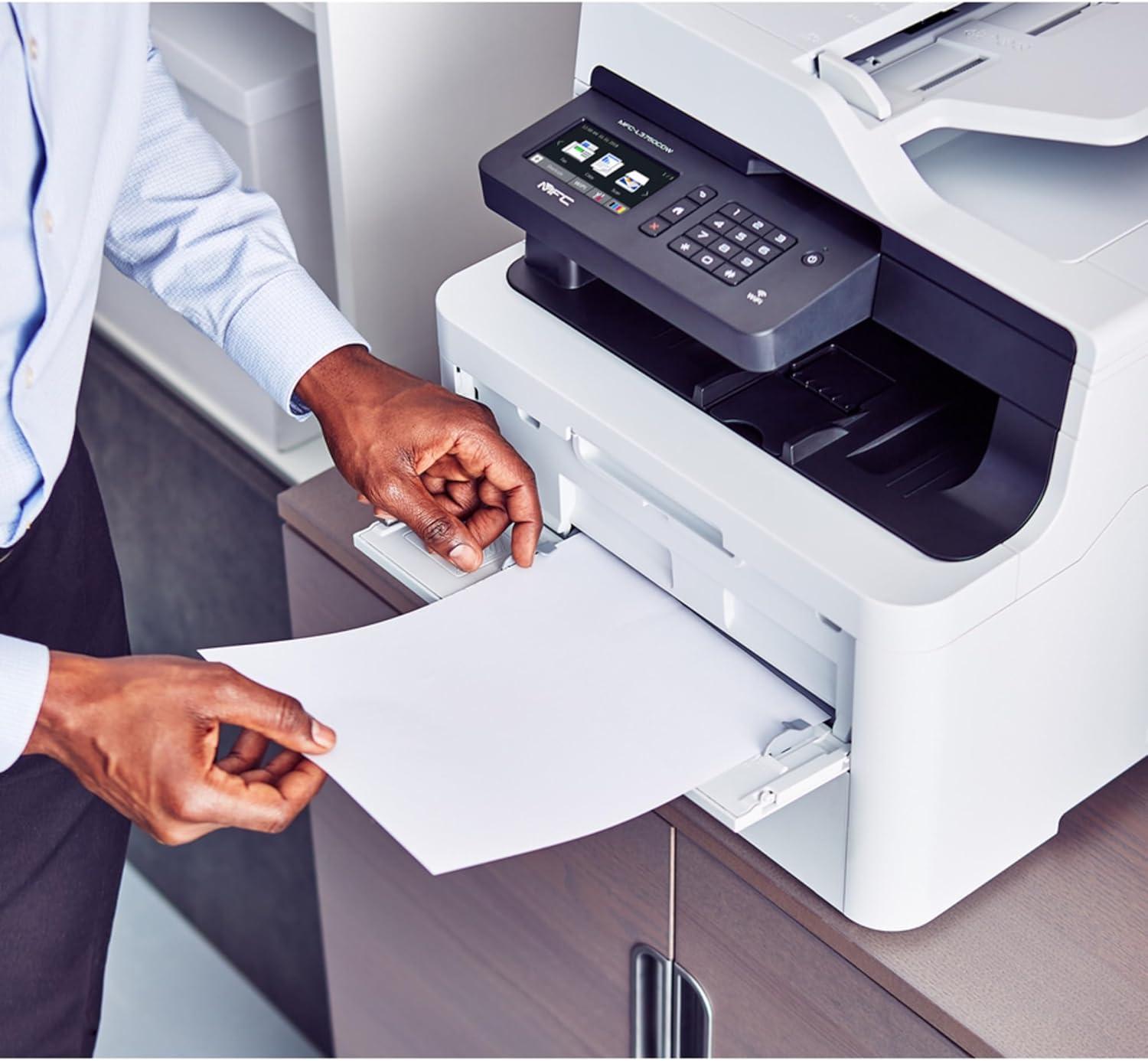
Getting started with this all-in-one printer is surprisingly straightforward thanks to its intuitive 3.7-inch color touchscreen. The interface is thoughtfully designed, allowing us to navigate through menus with ease, whether it’s setting up wireless connections or customizing print shortcuts for daily tasks. Connecting to Wi-Fi, Ethernet, or USB felt seamless, and the ability to print directly from mobile devices or cloud services like Dropbox and Google Drive right from the screen speeds up our workflow considerably. The touchscreen’s responsiveness and clear icons minimize frustration, making it welcoming even for those less tech-savvy.
Setting up the device itself is made even simpler by the comprehensive Quick Setup Guide and the bundled software CD, which helped us install drivers without a hitch. The adjustable paper tray supports up to 250 sheets,reducing time spent on refills during high-volume jobs,while the automatic document feeder can handle up to 50 pages for multi-page scanning or copying. Below is a quick glance at key setup and interface highlights:
| Feature | Details |
|---|---|
| Touchscreen size | 3.7 inches, color |
| Paper Capacity | Up to 250 sheets adjustable tray |
| Automatic Document Feeder | 50 pages max |
| Connectivity Options | Wireless, Ethernet, Wi-Fi Direct, USB |
| Cloud Service Support | Dropbox, Google Drive, Evernote, OneNote |
the user interface and setup process blend to offer a hassle-free experience that gets us printing, scanning, and faxing in no time, ideal for busy home offices or small workgroups.If you’re looking for a reliable color all-in-one with user-friendly controls, this model is worth considering.
Our Experience with Amazon Dash replenishment and Maintenance
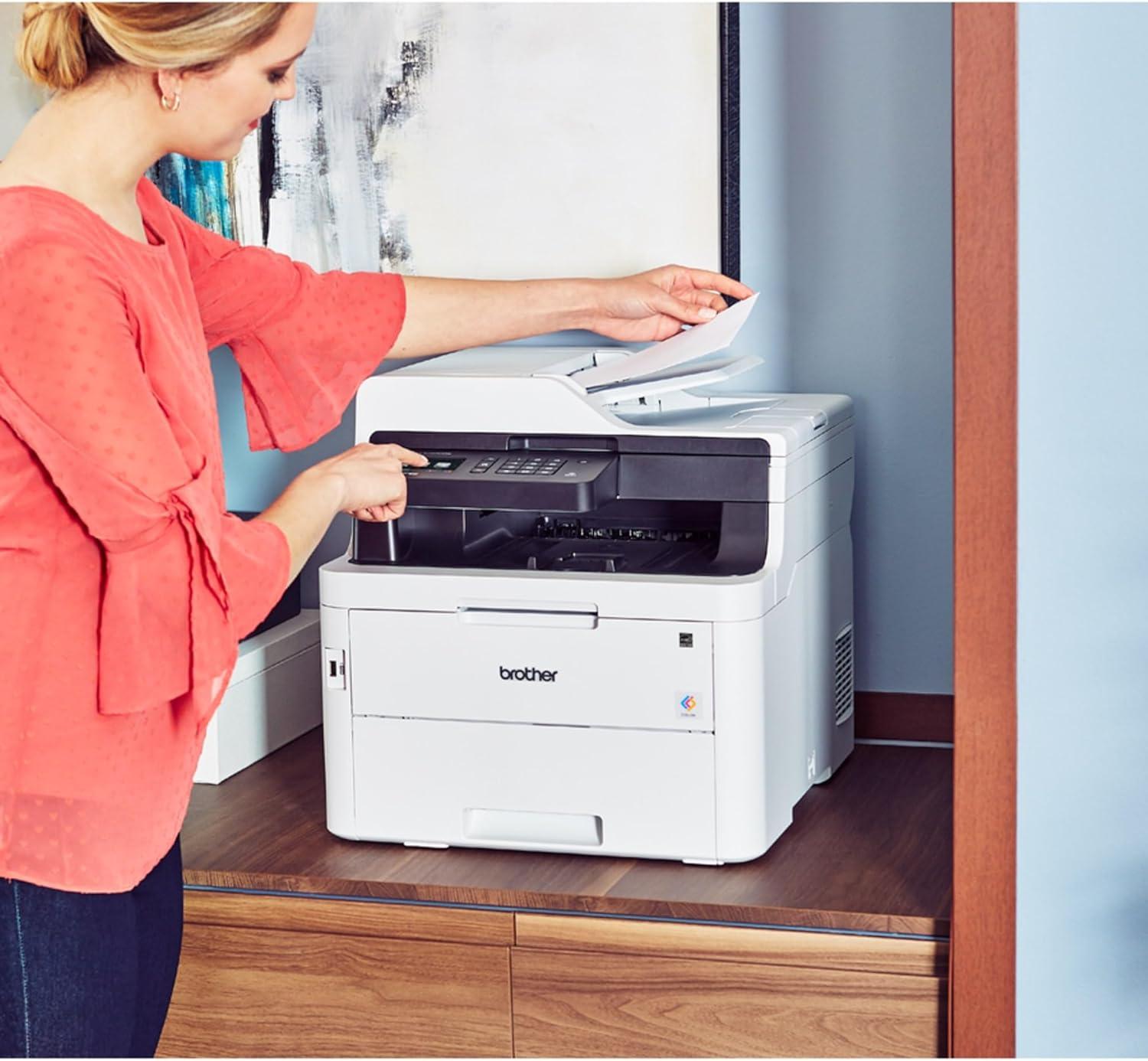
Setting up the dash Replenishment feature on this printer proved seamless and genuinely convenient. Once activated, we rarely had to worry about running out of toner – the printer automatically placed orders before supplies ran low, saving us from mid-project interruptions. This smart integration aligns perfectly with the machine’s efficient toner save mode, helping us reduce costs while maintaining vibrant color printouts.The maintenance routine was straightforward due to its robust construction and user-friendly touchscreen interface,which provided clear alerts for drum unit replacement and paper jams.
From our usage, the auto duplex printing and automatic document feeder paired with Dash Replenishment created a surprisingly hands-off experience, ideal for busy homes or small offices. Below is a quick overview of key maintenance intervals and toner options to illustrate the hassle-free upkeep:
| Component | Approximate Yield | Replacement Frequency |
|---|---|---|
| Starter Toner Cartridges (BK/C/M/Y) | 1,000 pages each | First month of use |
| High Yield Toner Options | Up to 2,300 pages (Black), 1,400 pages (Color) | Every 3-4 months (normal use) |
| Drum Unit Set | Approx. 18,000 pages | Once a year depending on volume |
Thanks to the automated supply management, coupled with the printer’s enduring build and comprehensive support, ongoing maintenance is minimal and stress-free. If you want to experience this hassle-free replenishment first-hand, check it out here.
Evaluating Paper Handling and Scanning Capabilities
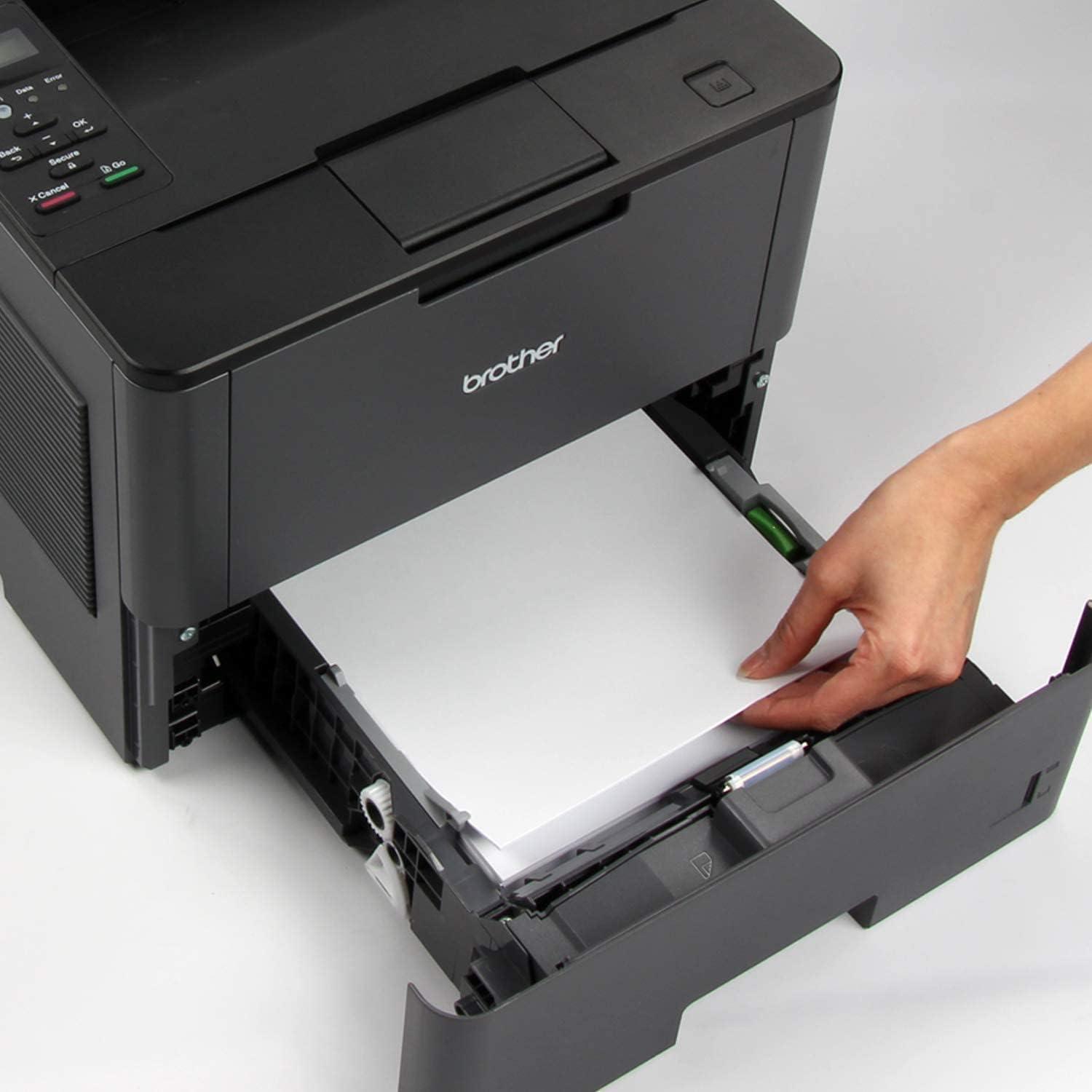
One of the standout features in paper handling is the adjustable paper tray with a capacity of up to 250 sheets, allowing us to print longer batches without frequent refills. The tray accommodates both letter and legal-sized paper, adding versatility for various document needs. Additionally, there’s a manual feed slot that supports specialty media such as card stock, envelopes, and photo paper, which proves invaluable when printing unique projects or professional documents. Automatic duplex printing not only saves us paper but also speeds up two-sided prints, enhancing efficiency without compromising the quality.
The scanning functionality impresses with a 50-sheet automatic document feeder that streamlines multi-page scanning, copying, or faxing tasks, reducing manual intervention and boosting productivity. Scan speeds of up to 29 images per minute (ipm) in black and 22 ipm in color handle even larger jobs with ease. The intuitive 3.7″ color touchscreen allows direct scanning to cloud services like Google Drive, Dropbox, and Evernote, which simplifies workflow by integrating seamlessly with our digital ecosystem.
| Feature | Details |
|---|---|
| Paper Tray Capacity | Up to 250 sheets, adjustable |
| Automatic Document Feeder | 50 sheets max |
| Manual Feed Slot | card stock, envelopes, photo paper support |
| scan Speed | 29 ipm (B&W), 22 ipm (Color) |
| Duplex Printing | Automatic 2-sided printing |
Explore this printer on Amazon
Final Thoughts and Recommendations Based on Our Usage
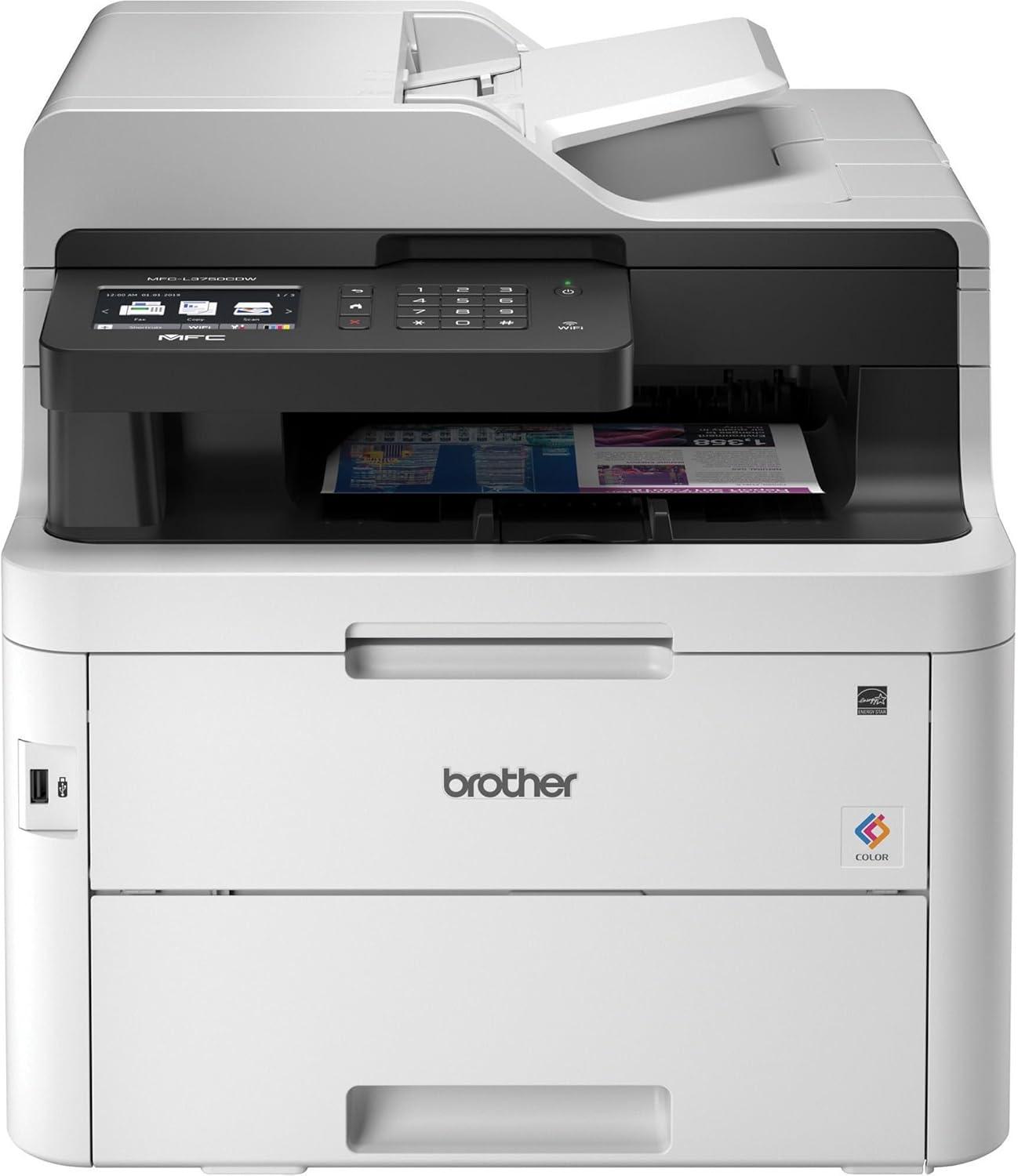
After putting this all-in-one through its paces, we found it to be a solid performer that fits well in both busy home environments and small office setups. Its laser-quality prints deliver vivid color without compromising speed, with print rates reaching up to 25 pages per minute. The automatic duplex printing not only saves time but also reduces paper waste, making it an eco-friendly option for daily tasks. We especially appreciated the 3.7″ color touchscreen which streamlines navigation, allowing us to easily access cloud services like Dropbox and Google Drive for seamless printing and scanning. Toner Save Mode provided a noticeable boost in cost efficiency, making color printing more economical without a significant loss in print quality.
The machine’s compact footprint and quiet operation suit limited desk space and noise-sensitive environments, while the flexible paper handling-with a 250-sheet adjustable tray plus a manual feed slot-accommodates a variety of media such as card stock and envelopes. Wireless,Ethernet,USB,and Wi-Fi Direct connectivity gave us versatile options for printing from multiple devices,including smartphones and tablets. For those seeking a reliable,all-around multifunction laser printer that balances functionality,value,and convenience,this model stands out as a compelling choice.
- Pros: Fast print and scan speeds, automatic duplex printing, versatile connectivity
- Cons: Relatively heavy at 51.5 lbs, initial setup may require patience for first-time printer users
| Feature | Specification |
|---|---|
| Print Speed | Up to 25 ppm |
| Scan Speed | 29 ipm (B&W), 22 ipm (Color) |
| Paper Capacity | 250-sheet tray, 50-sheet ADF |
| Connectivity | Wireless, Ethernet, USB |
| dimensions | 16.1″ W x 19″ D x 16.1″ H |
Check the Latest Price & Availability
Pros & Cons of the Brother MFC-L3750CDW
After putting the Brother MFC-L3750CDW through its paces in our small office environment, we’ve gathered both its strengths and limitations to help you decide if it’s the right fit for your needs.
| Pros | Cons |
|---|---|
| Vibrant Color Laser Quality Produces sharp text and vivid colors,perfect for presentations and reports. |
Bulky and Heavy At over 50 lbs, it demands a sturdy spot and isn’t ideal for tight spaces. |
| Fast Print & Scan Speeds Keeps up with our busy workflows – up to 25 ppm for printing, 29 ipm scanning in black. |
Higher Initial Cost The upfront price is more than basic inkjets, though justified by laser durability. |
| Automatic Duplex Printing Helps save paper effortlessly by printing two-sided. |
Moderate Noise Levels Print noise can be noticeable in very quiet rooms at 47 dB. |
| Flexible Connectivity Wi-Fi, Ethernet, USB, and Wi-Fi Direct allow convenient wireless and wired printing. |
Touchscreen Interface Could Be more Intuitive While functional, we found the 3.7″ touchscreen less responsive compared to some competitors. |
| cost-Effective Toner Options Toner Save Mode and high-yield cartridges help keep running costs reasonable. |
Lacks Some Advanced Features No fax forwarding to email and somewhat limited mobile app functionality. |
| Compact Design for a laser Despite its weight, the footprint fits well into small office niches. |
No Touch-to-Print NFC for iOS Requires Android for NFC mobile print; iOS users must rely on other wireless options. |
the Brother MFC-L3750CDW impresses with its durable build, professional-grade color output, and flexible connectivity that keeps our office humming efficiently. while not the smallest or quietest,its reliable performance makes it a trusted workhorse for our daily needs.
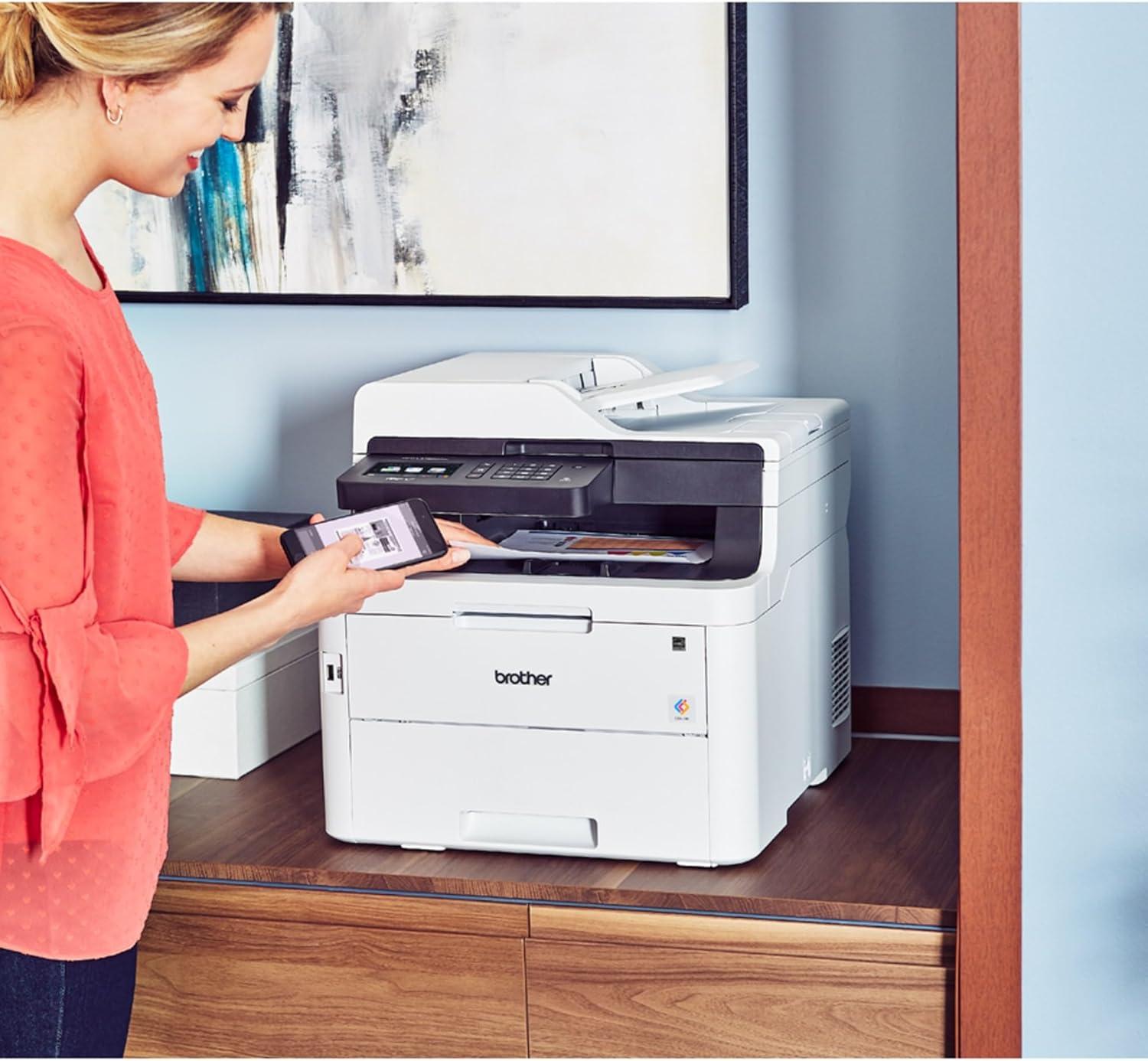
As we’ve seen, the Brother MFC-L3750CDW stands out as a dependable, versatile solution that perfectly fits the demands of a small office environment. its combination of laser-quality color printing, speedy duplex capabilities, and seamless wireless connectivity makes it a tool that keeps pace with our busiest days. The compact design and thoughtful features like toner save mode and automatic document feeder show Brother’s commitment to both efficiency and affordability. For those of us juggling limited space and growing workloads, this all-in-one printer simplifies tasks without compromising on quality or reliability.
If you’re ready to upgrade your office setup with a powerhouse that handles print, scan, copy, and fax-all while keeping costs in check-then the Brother MFC-L3750CDW is worth serious consideration. Discover how it can transform your daily workflow by checking it out for yourself here: Brother MFC-L3750CDW on Amazon.
As an Amazon Associate I earn from qualifying purchases. Amazon and the Amazon logo are trademarks of Amazon.com, Inc, or its affiliates. All images belong to Amazon